What is Open Chat Interface
A self-hosted, multi-model AI chat application for institutions, with governance, accessibility and control of your data built in.
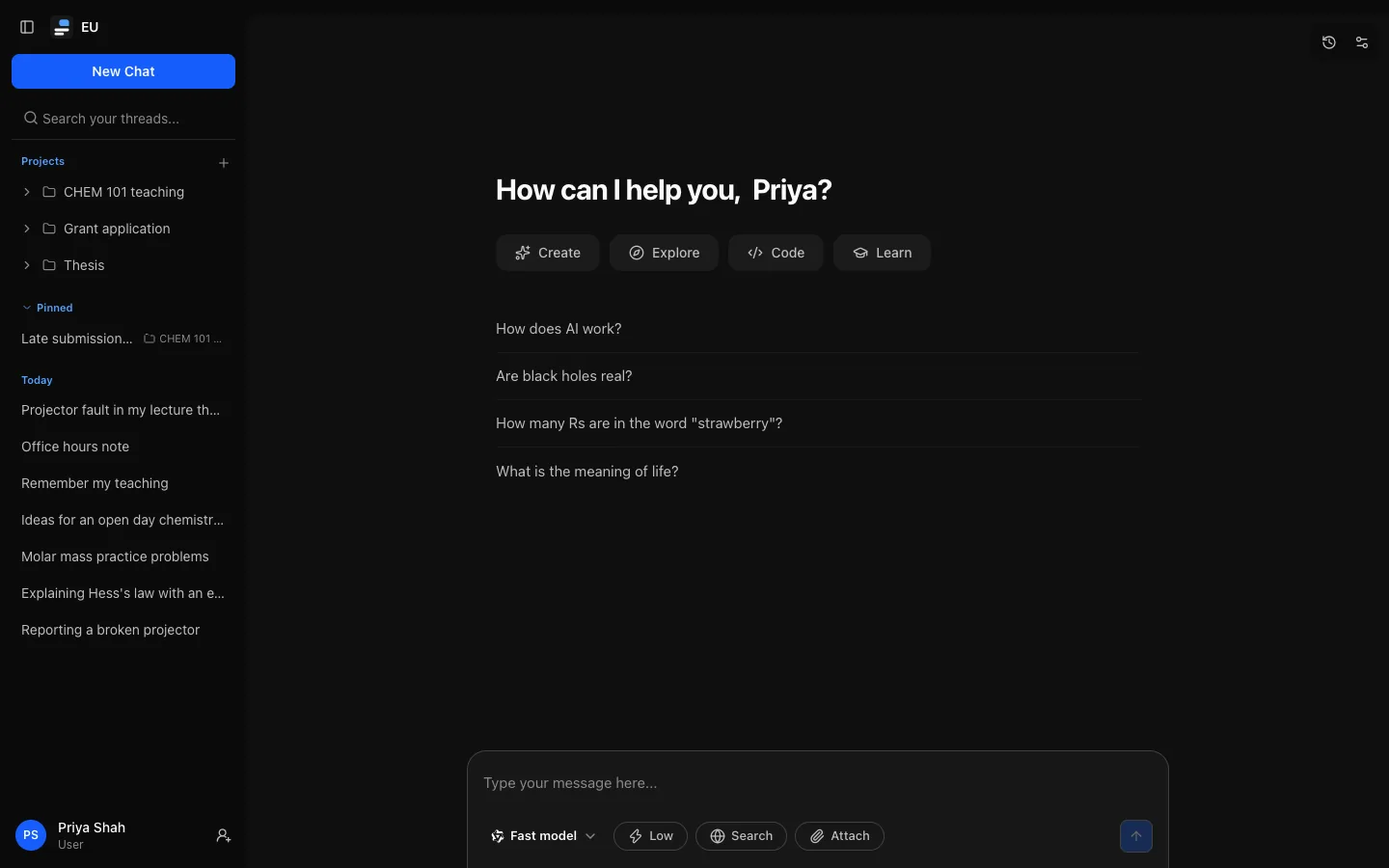
Open Chat Interface (OCI) is an open-source (MIT) chat application that an institution runs for its own people: a university, a research organisation or a company. Everyone signs in with the institution's identity provider and chats with the models the institution has approved, from several providers, in one interface.
Administrators decide what happens: which models each role can use, how much each person may spend, which features are on, how long conversations are kept, and who can read the audit log. People get a familiar chat app with projects, artifacts, tools, memory and their own data export.
What it does
Many models, one interface
OpenAI, Anthropic, Google and any OpenAI-compatible server. Streaming replies, reasoning with an effort control, web search, attachments and long conversations that are summarised rather than cut off.
Projects and artifacts
Projects group conversations under shared instructions and files. Pages, images, diagrams and documents from replies become versioned artifacts.
Tools and connectors
Models can search the web and use the tools of MCP servers you connect. Tools that change something always ask first.
Governance that is enforced
Usage budgets in messages, tokens or cost, per-role features and limits, retention, an acceptable use policy, a read-only auditor role and a structured audit log.
Your identity provider
Local accounts, OIDC and SAML, with just-in-time accounts, domain allowlists and roles mapped from group claims.
Records and operations
Compliance export and legal hold, verified backups, Prometheus metrics, OpenTelemetry traces and signed webhooks.
How it is built
OCI has two parts, published as two container images:
- API (
ghcr.io/ncecere/open-chat-interface/api): a Node.js service that does all the work: sign-in, chat, files, administration and background jobs. - Web (
ghcr.io/ncecere/open-chat-interface/web): the browser app, served by Caddy, which also forwards/apito the API so everything is on one origin.
It stores everything in PostgreSQL 17, uses Redis for resumable replies and shared rate limits, and keeps files on a local volume or in S3-compatible storage. Almost everything is configured in the admin dashboard; environment variables cover only what must exist before the database can be read. See Self-hosting.
Who these docs are for
| You are | Start with |
|---|---|
| Someone using OCI | Using OCI |
| An administrator setting up or running an instance | First run |
| An auditor or compliance reviewer | Audit log and reports and Compliance export and legal hold |
| An operator installing and hosting OCI | Requirements |
If you only want to see it working, try it locally with Docker Compose.
Accessibility
The interface targets WCAG 2.2 Level AA. Automated accessibility checks run on desktop and phone layouts for sign-in, chat, settings, administration, share pages and dialogs, together with checks from a manual keyboard pass: a skip link, a visible focus indicator on every control, and dialogs that return focus to whatever opened them. Automated checks are a regression net, not a full conformance assessment.
Project status
OCI is pre-1.0. These docs describe v0.10.2; see Releases for what changed and how to upgrade. What to expect:
- Releases are frequent, and each one's notes say what to do when upgrading.
- Database migrations are forward-only. Rolling back past a migration means restoring a backup.
- There is no public API for scripts or integrations, and a personal-key API is not planned: OCI is a chat interface. Integrations that need model access should go through a model gateway such as LiteLLM.
Open Chat Interface, not the other OCIs
"OCI" here always means Open Chat Interface, not Oracle Cloud Infrastructure or the Open Container Initiative.