Audit log and reports
Who did what and from where, what has been consumed, and usage summaries by email.
The audit log
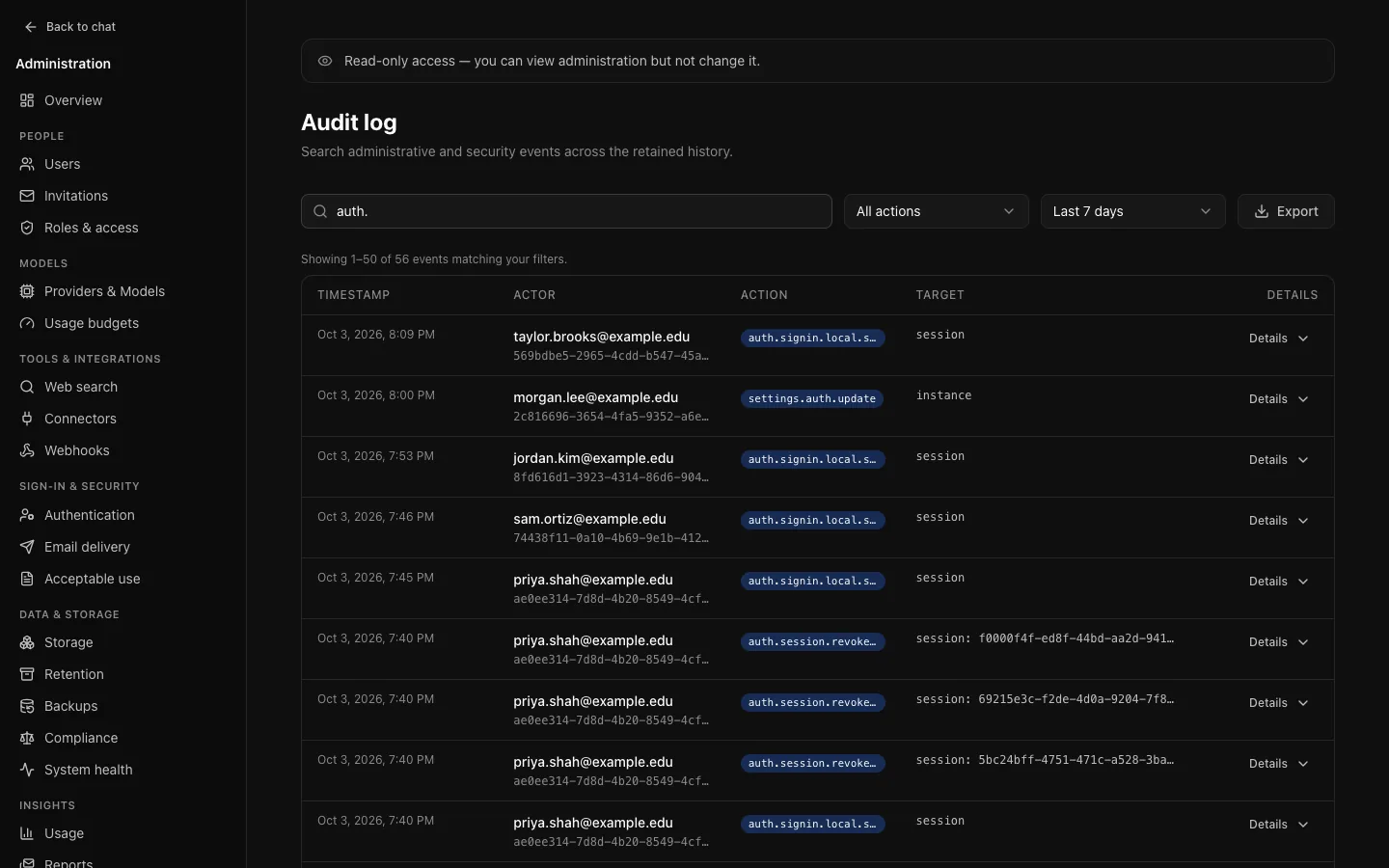
Insights → Audit log (/admin/audit). Who did what, when, and from where.
What is recorded
- Administrative actions: settings, models, providers, budgets, invitations, policies, announcements, connectors, webhooks, backups, compliance, bulk operations.
- Authentication: sign-in, sign-up, sign-out, password reset and change, verification and single sign-on, including failures and attempts for accounts that do not exist, which is what makes a brute-force attempt visible. People's own changes in Settings → Account are recorded too: their name (
auth.profile.updated) and signing devices out (auth.session.revoked,auth.sessions.revoked_others). Attempts refused by the sign-in limit are recorded asauth.rate_limited, once a minute per address or account. - Deletions: every conversation, file, project, memory note and account moved to the trash, restored or deleted, by the person, an administrator or a background job (
conversation.trash,conversation.delete,attachment.delete,project.delete,memory.delete,user.deleteand others). Each names what was deleted, whose it was and why, never its content; see deletion events. A refused attempt to delete one's own account (wrong password) isuser.delete.failure. - Activity metadata: tool calls (
tool.call), file exports (message.export,artifact.export), full exports and imports (user.export,user.import), connector connections, memory changes, revoking share links (share_link.revoke,share_link.revoke_all).
Only outcomes and metadata are recorded. No credentials, no tokens, no request bodies and no conversation content. Creating and changing projects, conversations and share links is personal content and is not written to the log; deleting them and revoking links is.
Searching it
Search, action family and date window are applied in the query, across everything retained, not just the page in front of you. Typing auth. in the action filter finds every authentication event. Searching an IP address finds everything that came from it, which is usually where an investigation starts. Entries link to the accounts they name.
Configuration changes
A settings entry records what a value was as well as what it became, so "who turned off single sign-on last Tuesday, and what was it before" has an answer. Secrets record only whether they were set, cleared or replaced.
Export
Export downloads CSV of everything matching the current filters, up to 50,000 rows. Filter first. For a continuous, complete copy, use the compliance export; for events as they happen, webhooks.
How long entries are kept, and which are kept regardless, is on Retention.
Usage
Insights → Usage (/admin/usage). Totals, daily volume, a breakdown by model and the heaviest consumers.
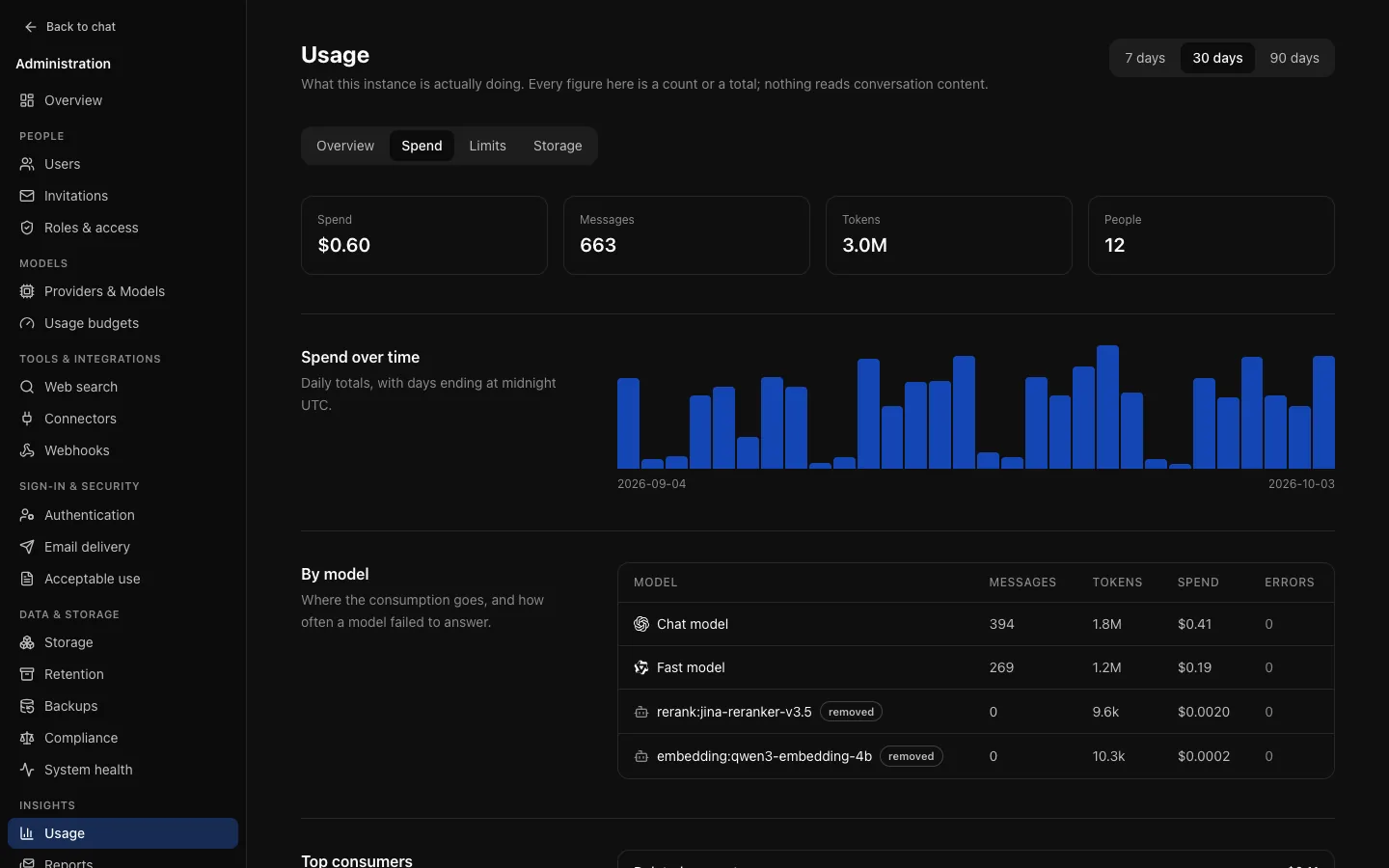
- Token totals contain reported usage; cost is calculated from the prices copied onto each request when it was made. Neither includes amounts held by budget enforcement, and neither is a provider invoice.
- Missing or incomplete reports are stored as unknown, not as zero.
- Usage records carry no reference to a conversation.
- Embeddings, reranking and summaries show under model names starting with
embedding:andrerank:, and the conversation's model. - The reporting time zone is set on Retention.
Deleted accounts
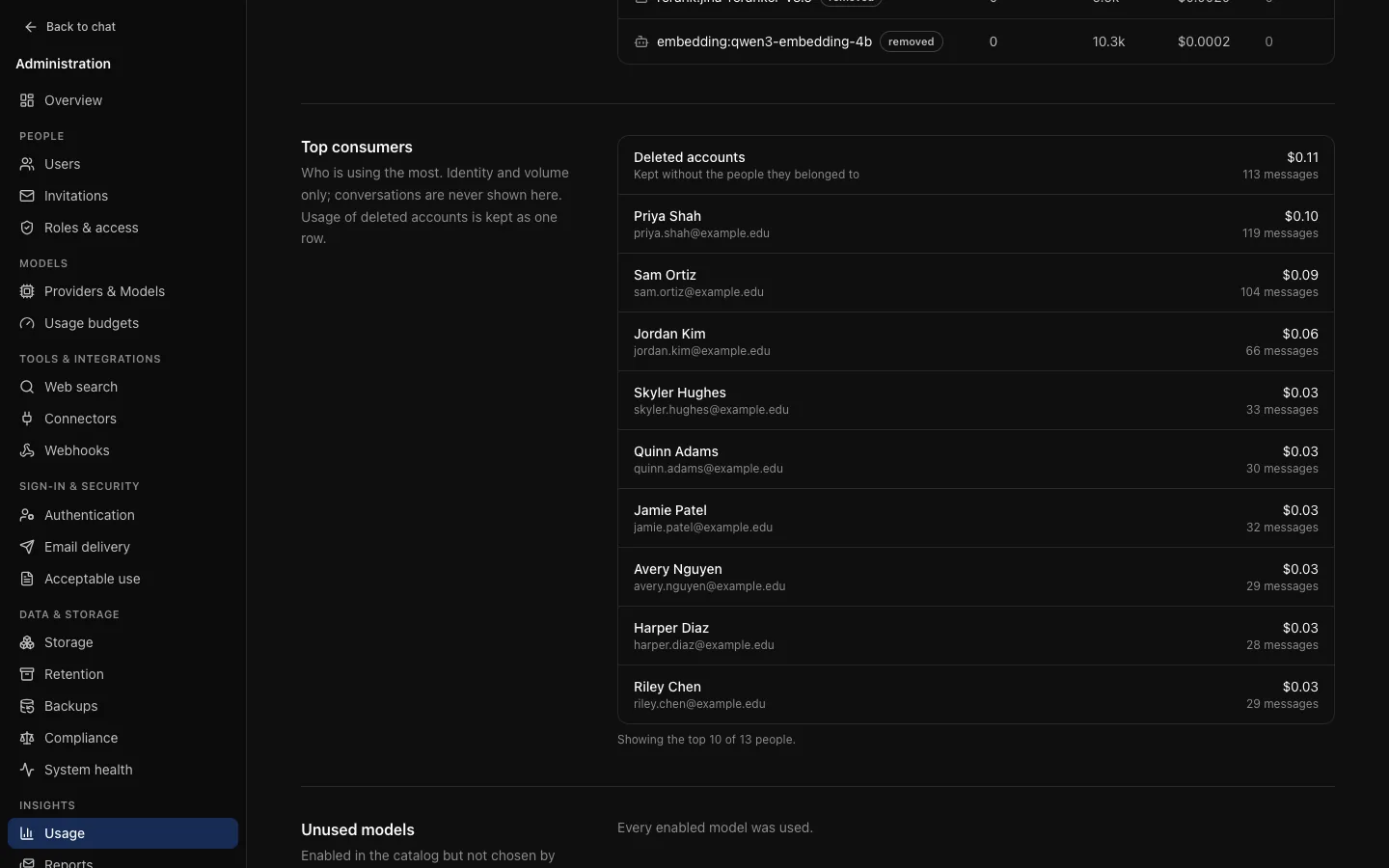
Deleting an account, by an administrator or by the person, keeps its usage records (events, daily totals and limit refusals) without anything that identifies the person, so totals, the daily and per-model figures and scheduled reports do not change afterwards:
- Top consumers and the scheduled report's Heaviest use show the usage of every deleted account as one Deleted accounts row, ranked with everyone else.
- People (and Active people in reports) and people affected on the Limits tab count accounts that still exist; a deleted person's usage stays in every other figure.
- A person's own usage meter and their page under People never include it.
- Usage history retention prunes these records by age like any other.
Usage records of accounts deleted before v0.10 were removed at the time and cannot be recovered.
Use this page before setting a budget: a limit chosen from observed use lands better than one chosen from an assumption.
Scheduled reports
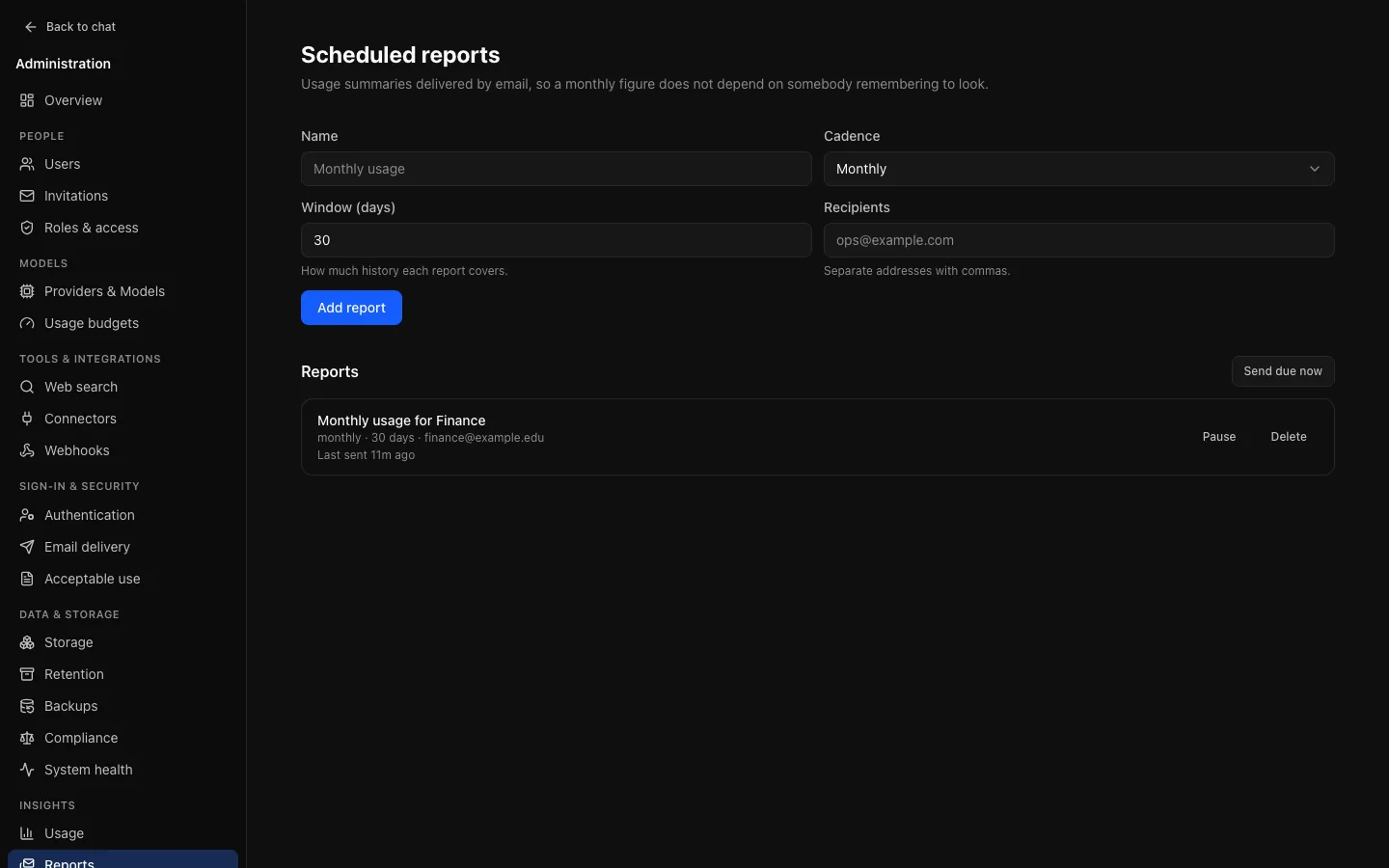
Insights → Reports (/admin/reports). A usage summary by email, daily, weekly or monthly. Send the monthly summary to whoever asks about spend and the questions stop.
- Due-ness is decided from the last send, not a calendar expression: a replica that was down over a boundary sends once when it returns rather than skipping the period.
- Send due now lets you check recipients and content without waiting a month.
- A failure is recorded on the report, not only in the logs.
- Reports need email delivery. Without it none arrive: the page warns, enabling a report makes email a required step on the setup checklist, and System health reports email as not configured.
When someone reports a problem
- System health: is something actually broken?
- The audit log, filtered to their address: what did they do, and what happened?
- Their account page: are they at a limit? Do their sessions look right?
- Usage: has something changed instance-wide, or only for them?