Backups
Scheduled, verified backups to S3 of the database and, incrementally, every file, with daily and weekly retention.
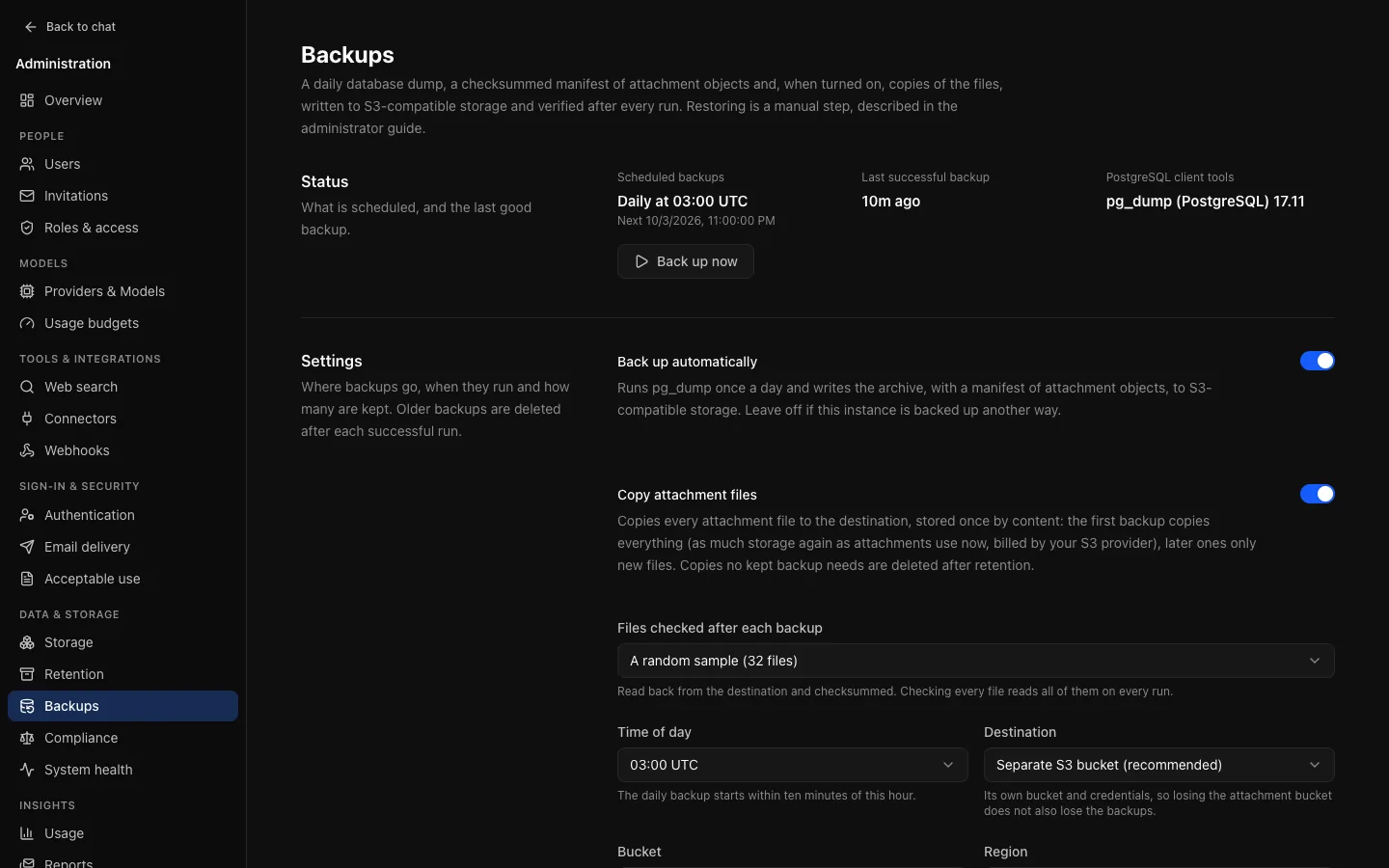
Data & storage → Backups (/admin/backups). OCI can back itself up once a day: a pg_dump of the whole database, a manifest of every file object and, with Copy attachment files on, copies of the files themselves, written to S3-compatible storage, then read back and verified. Deployments that already back up PostgreSQL and their file storage another way can leave it off. An auditor sees everything here and changes nothing.
What a backup contains
Each run writes one folder, named after its start time and run ID. Copied files sit beside the folders, shared by all of them:
| Object | What it is |
|---|---|
<folder>/database.dump | pg_dump --format=custom of the whole database: accounts, settings, conversations, artifacts, file metadata, the audit log, everything in PostgreSQL. |
<folder>/attachments.jsonl | One line per file object (file and thumbnail) and the uploaded logo: its storage key, size and SHA-256. Not names, not contents. |
<folder>/manifest.json | The OCI version, the newest applied migration, the size and SHA-256 of the two files above, and whether (and how many) files were copied. |
objects/<sha256> | With copying on: the bytes of each file object, stored once per distinct content. |
The dump streams from pg_dump straight into a multipart upload, so a large database never has to fit in memory or on disk. If pg_dump fails, the upload is aborted.
The first backup reads every file object once to compute its checksum; later backups read only new objects. A file whose object cannot be read is listed as missing; the run still succeeds, and System health warns.
Attachment files
With Copy attachment files on, each backup copies file objects (attachments, thumbnails and the uploaded logo) to the destination under objects/, named by their SHA-256:
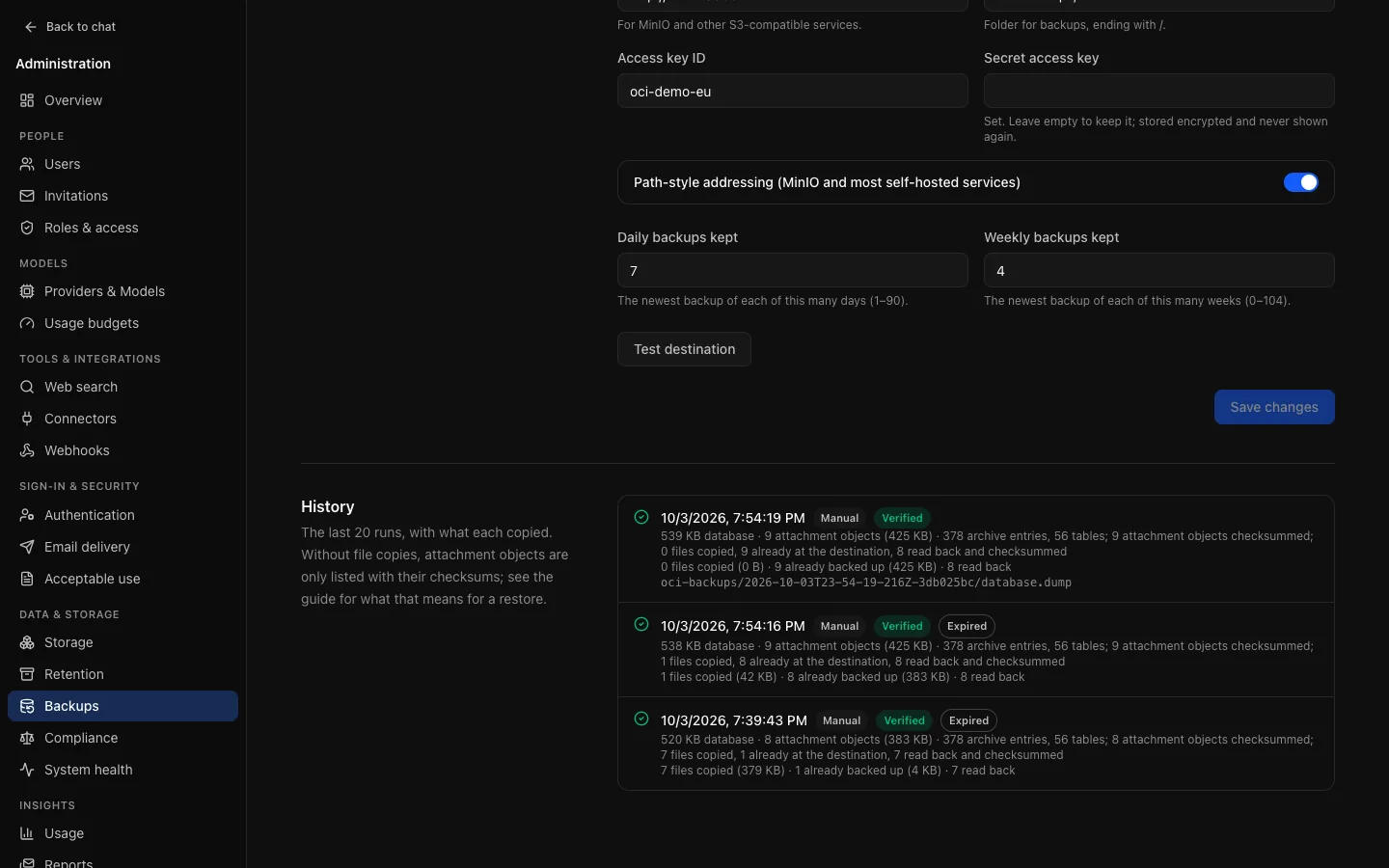
- Incremental. An object is copied only when its SHA-256 is not there yet. The first backup copies everything; later ones copy only files uploaded since, and a file uploaded twice is stored once.
- Streamed and checked. Files stream from file storage (local disk or S3) to the destination, at most four at a time. Bytes that do not match the recorded checksum never complete a copy; that file is listed as missing with a checksum mismatch and checksummed afresh by the next backup.
- Kept as long as a backup needs them. After retention, copies that no kept backup lists are deleted (see Retention).
Cost. The first copy uses as much storage again as your files use now, at the destination (with Attachment storage bucket, in the file bucket itself), and its transfer may be billed by your provider. After that, storage grows with new uploads, not with the number of backups kept.
On or off. A new backup configuration has copying on. An instance that saved backup settings before v0.10 keeps listing files without copying them until an administrator turns copying on, so an upgrade never starts a large copy on its own. While copying is off the page says so, and a backup alone cannot restore files: protect them where they live instead, with bucket versioning (and ideally replication) for S3, or volume snapshots for local storage.
A bucket and prefix belong to one OCI instance. Do not point two instances' backups at the same prefix: each would delete the other's copies as unused.
Destination
| Destination | Where | When |
|---|---|---|
| Attachment storage bucket | The bucket files use, under .oci-backups/. Storage reconciliation never treats these objects as orphans. | Quick to set up when files are already on S3. Copied files double the bucket's size. |
| Separate S3 bucket (recommended) | Its own bucket, region, endpoint, access key and prefix. The secret is encrypted with ENCRYPTION_KEY and never shown again. | Losing or leaking the file bucket's credentials does not also lose the backups, and the backup bucket can have its own lifecycle, versioning or object lock. Required when files are on local disk. |
Test destination writes, reads back and deletes a small object. The credential needs s3:PutObject, s3:GetObject, s3:DeleteObject, s3:ListBucket (to find unused copies) and the multipart upload actions on the prefix.
Schedule
With Back up automatically on, a backup starts within ten minutes of the chosen hour (UTC) each day, or as soon as the API is back if it was down then. A failed scheduled backup is not retried until the next day: fix the cause and use Back up now. Only one backup runs at a time across all replicas.
Turning backups on is refused while the destination is incomplete or pg_dump is missing. The API image includes the PostgreSQL 17 client tools, and the page shows the version found. A PostgreSQL 18 server needs newer tools; see Backups and restore.
The database password is never put on a command line or in the environment of pg_dump: it goes into a private, temporary .pgpass file, and error output is scrubbed of it.
Verification
After writing, every run reads its objects back: the dump's size and SHA-256 must match and pg_restore --list must read its table of contents; the manifest's size, SHA-256 and line count must match; with copying on, copied files are read back and checked against the manifest: a random sample of 32 each run, or every file with Files checked after each backup set to Every file (which reads the whole copy every day). Each run checks files copied earlier too, so a damaged or deleted copy is found. A run that fails is recorded as failed and its folder is deleted; copies stay, since other backups share them. The history shows, per run, how many files were copied and already backed up, how many were read back, and how many unused copies were deleted. System health shows the latest result in its Backups row: an error if it failed, a warning if nothing completed in over a day or objects were missing.
Retention
After each successful backup, older ones are deleted, keeping:
- Daily backups kept (default 7): the newest backup of each of the last n days that have one;
- Weekly backups kept (default 4): the newest of each of the last n ISO weeks that have one.
Only days and weeks with a backup count, so a pause never deletes the last good ones. Expired runs stay in the history. Backups made before a change of destination are left where they are.
Then copied files are swept: copies under objects/ that no kept backup lists are deleted, so a deleted file's copy stays as long as a kept backup includes it. The sweep deletes only copies at least a day old (a backup still writing is never undercut), and deletes nothing if any kept manifest cannot be read. Turning copying off lets the copies age out with the backups that made them. Backup retention applies to people on legal hold too.
Restoring
Restoring is a deliberate, manual operator step: the database with pg_restore, then the files with the restore-backup-files script in the API image, which streams each copy back to its storage key and checks it. See Backups and restore, and practise it on a scratch environment: that is the only proof a backup works.
Audit and metrics
Settings changes are audited as backup.settings.update (never a credential) and kept regardless of retention. Every run is audited as backup.run with its outcome (and, with copying on, the files and bytes copied), so a webhook can alert on a failure. Metrics include oci_backup_runs_total, oci_backup_duration_seconds and oci_backup_last_success_timestamp_seconds.