Providers and models
Connect upstream AI services, build the model catalogue people choose from, tag capabilities, set prices, and choose the default model.
Providers, the model catalogue and the default model share one page, Models → Providers & Models (/admin/models), with Providers, Models and Embeddings tabs. /admin/models?tab=models opens the catalogue directly. Embeddings and reranking have their own page.
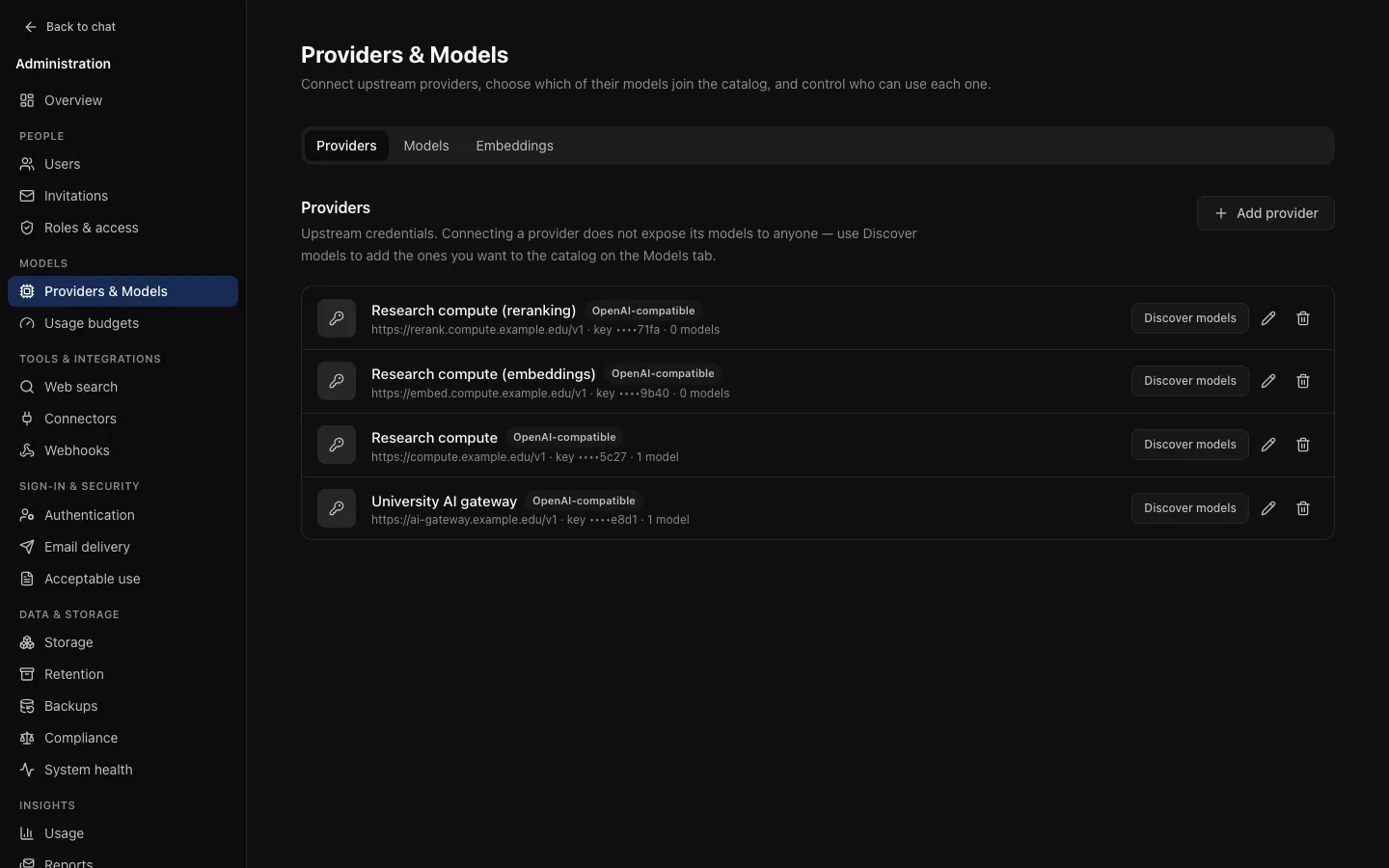
Providers
A provider is an upstream service and the key used to reach it. Adding one makes its models available to add; it exposes nothing to people. A provider offering forty models should not show forty to your institution: you choose which are appropriate, and for which roles.
| Provider type | Needs |
|---|---|
| OpenAI | An API key. An optional base URL points it at a gateway instead of OpenAI. |
| Anthropic | An API key. |
| An API key. | |
| OpenAI-compatible | A base URL, such as https://litellm.example.edu/v1, http://vllm:8000/v1 or Ollama's http://host:11434/v1, and a key if the server wants one. |
The base URL must be http:// or https:// and cannot contain credentials.
Keys are write-only. Once saved, a key is encrypted with ENCRYPTION_KEY and never returned, to you or anyone. The form shows whether one is set; replacing it means entering a new one. Rotating ENCRYPTION_KEY makes every stored key unreadable, so they all have to be entered again.
Ask for usage
Budgets and usage reports depend on the provider reporting token usage. OCI asks for it explicitly, which OpenAI-compatible gateways such as LiteLLM only return when asked. A provider that still omits usage records zero tokens and cannot be billed by a cost budget.
The model catalogue
Each catalogue entry maps a name people see to a provider's model.
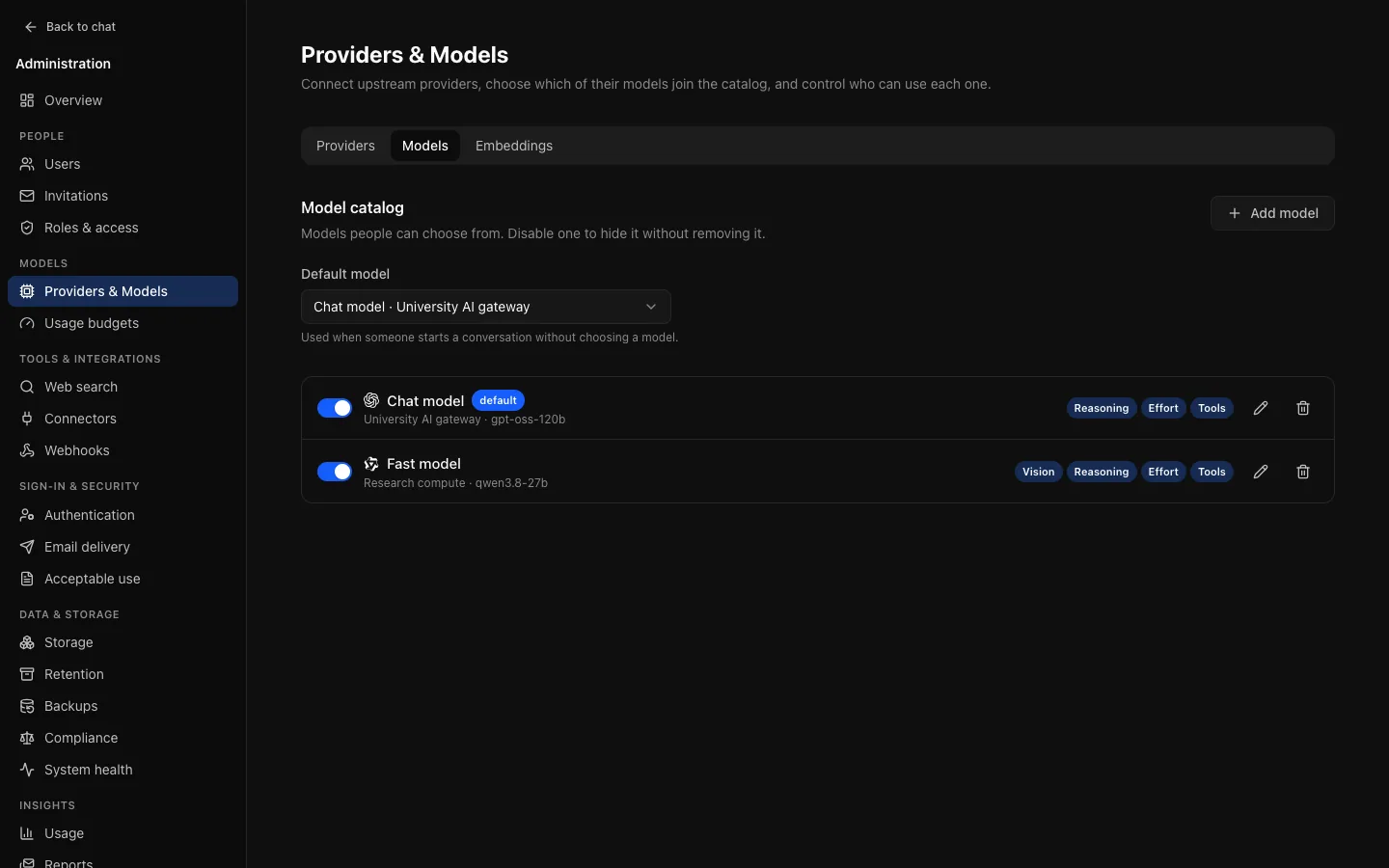
Discover models asks a provider what it offers and lists what is not in your catalogue yet. It adds nothing on its own. Then Add model:
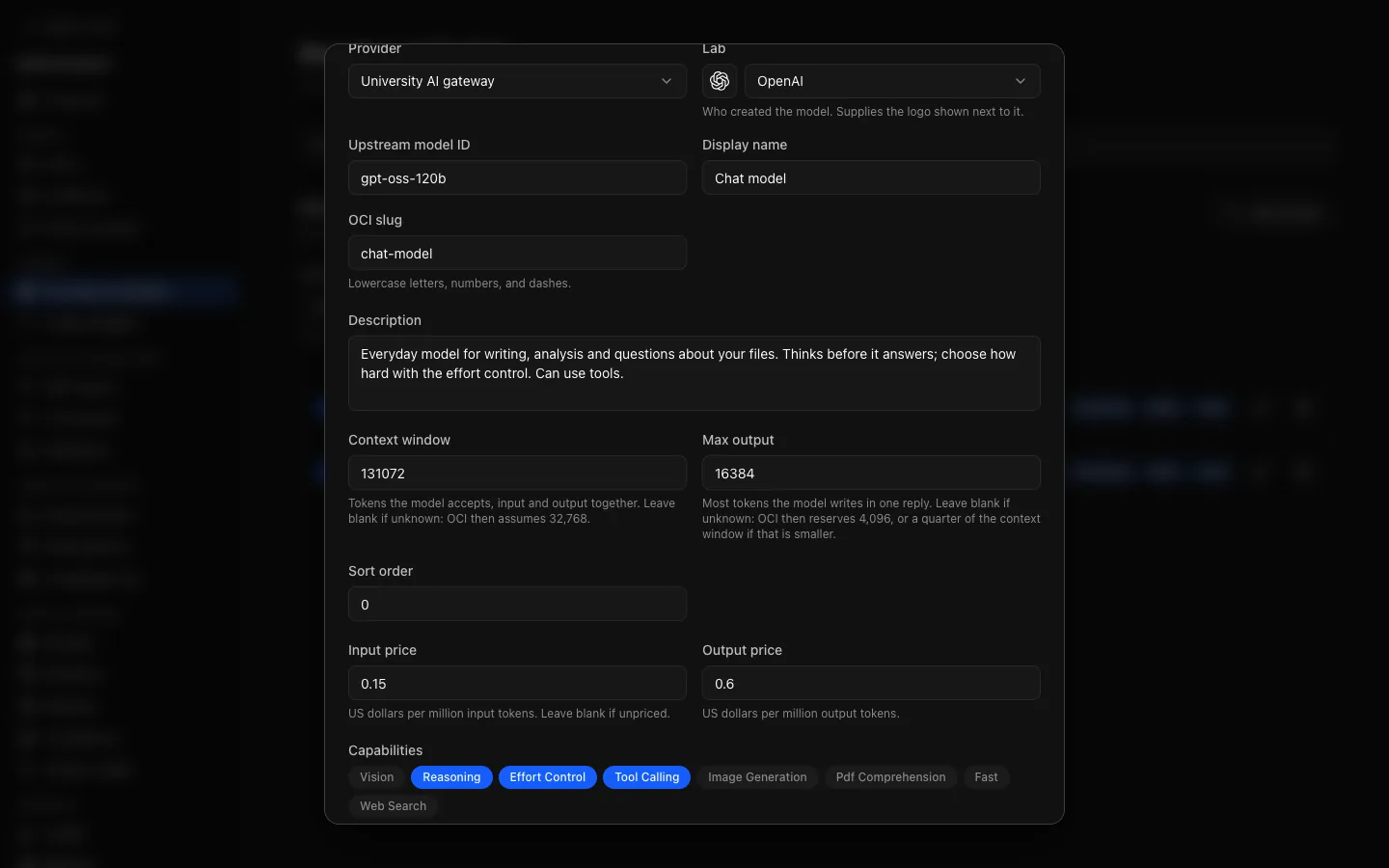
| Field | What it is for |
|---|---|
| Provider and Upstream model ID | Which provider, and what that provider calls the model. |
| Lab | Who created the model. Supplies the logo shown beside it in the picker and the catalogue. |
| Display name | What people see: "Chat model" beats chat-model-2026-01-15. |
| OCI slug | OCI's own identifier for the model: lowercase letters, numbers and dashes. |
| Description | Shown on the model's card. Say when to reach for it, not only what it can do. |
| Sort order | Where it appears in the picker. |
| Input price and Output price | US dollars per million tokens. Needed for cost budgets; leave blank for an unpriced model, which counts as zero cost. |
| Capabilities | See below. |
| Reasoning efforts | For a model with effort control: which of Low, Medium and High it offers. |
| Visible to roles | Which roles see it. This is how an expensive model is kept to the people who need it. |
| Context window and Max output | How many tokens the model accepts, and the most one reply may use. See Context and output size. |
| Enabled in catalog | Whether it is offered at all. |
Prices are copied onto each usage record when it is made, so later price changes never rewrite past spend.
Capabilities
Capabilities drive the icons and filter in the model picker, and three of them change what OCI does:
| Capability | Effect |
|---|---|
| Vision | Images in the conversation are sent to the model. Without it, the model is told an image could not be read. |
| Tool calling | The model is offered tools: web search as a tool, connector tools, artifacts and memory. Without it, web search runs once before the reply. |
| Effort control | People can choose a reasoning level, from the efforts you list and their role allows. |
| Reasoning, PDF comprehension, Fast, Image generation, Web search | Labels in the picker and on the model's card. PDFs are always sent as extracted text. |
Getting capabilities wrong is worse than leaving them blank. Somebody will attach an image to a model tagged with vision that cannot see it and get a reply that never mentions it, and a model tagged for tool calling that cannot call tools may fail when it is offered them.
Context and output size
Set both in Add model or Edit model:
- Context window: the tokens the model accepts, input and output together, used to budget what OCI sends. Whole tokens, up to 10,000,000; thousands separators are fine. Blank means unknown, and OCI then assumes 32,768, far less than most current models, so long conversations are cut short or summarised early. Discover models does not fill it in: copy it from the provider's model documentation.
- Max output: the most tokens one reply may use, reserved before the input is chosen and passed on every request. Up to 1,000,000. Blank reserves 4,096, or a quarter of a smaller context window.
An output limit that leaves no room for input (it must stay below the context window, or the assumed 32,768, less 512) is refused when you save. A model's row shows the values in use when expanded. Changes to either are audited as model.update, naming the fields changed.
OCI estimates text from its size rather than with a provider's tokenizer, keeps the most recent whole turns that fit, and says on a reply when earlier context was left out (or summarises it; see General settings).
Fixed safety ceilings apply whatever the model: at most 128,000 estimated input units, 128 earlier messages, 512 KiB of stored message content, 32 files and 20 MiB of image data per request. Required content (the latest message, instructions and current search results) is never shortened silently: a request that does not fit is refused before the new message is saved.
For Anthropic models with budgeted thinking, the output limit covers both thinking and the answer: Low, Medium and High get 10%, 30% and 60% of it, with a 1,024-token minimum.
The default model
Chosen above the catalogue list. It is what a new conversation starts with, so pick something reasonable for everyday work rather than your most capable model: everyone gets it, including people who would not have chosen it.
Only models somebody could actually use are offered: enabled, on an enabled provider. Exactly one model is the default. If it stops being usable (disabled, its provider disabled, or hidden from the user role), this page and the setup checklist say so.
A worked example: an expensive model for one group
A capable, costly model that only researchers should use:
admin only for now, and check it answers in your own picker.oci-researchers, to a role.The last step is the one people skip. Visibility decides who can use a model; a budget decides how much. Roles & access shows how many models each role sees and which budgets apply to it.
Audit
Adding, changing and deleting providers are kept in the audit log regardless of retention. Model discovery against a provider is audited too.