Identity and sign-in
Local accounts and registration, email verification, sessions, OIDC and SAML providers, just-in-time accounts, domain allowlists, claim-to-role mapping and break-glass access.
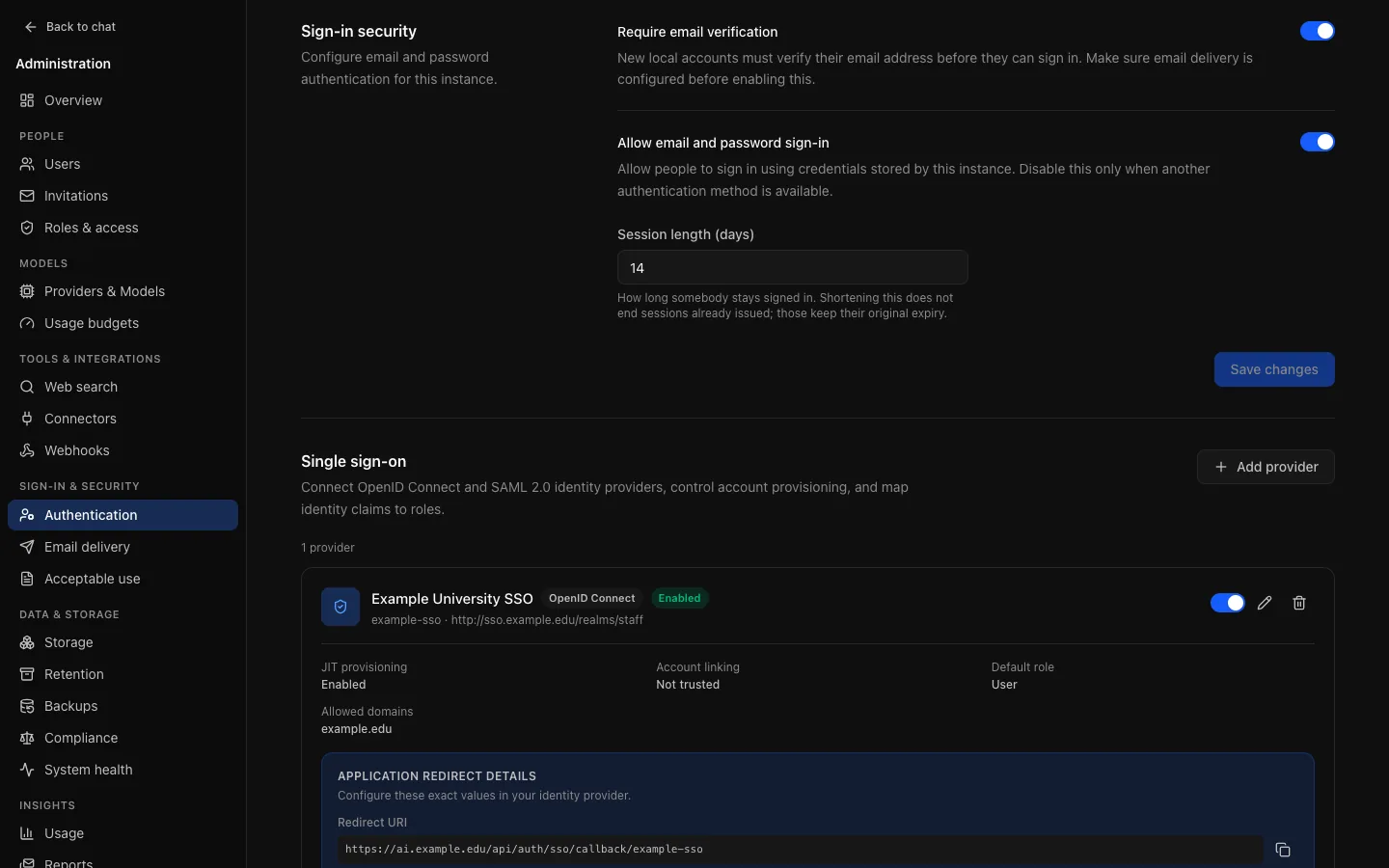
Every way of signing in is on one page, Sign-in & security → Authentication (/admin/settings/authentication): registration, local email and password sign-in, email verification, session length and, under Single sign-on, OIDC and SAML providers.
Local accounts
- Local sign-in turns email and password sign-in on or off. If neither local sign-in nor an enabled single sign-on provider is available, the page and the setup checklist say nobody can sign in.
- Registration mode: Open (anybody who reaches the sign-up page), Invite only (the default; needs an invitation) or Closed.
- Session length (days): 1 to 365. Shortening it does not end sessions already issued; use Sign out everywhere on a person's page for that.
Sign-in, sign-up, password reset and verification are limited to Sign-in attempts per minute per client address and per account (10 by default); past it a request is refused for the rest of the minute. See Sign-in attempts.
Email verification
When required, a new local account gets no session until its address is verified. Missing or failing SMTP does not switch the requirement off: new accounts simply stay unverified and cannot sign in. Set up and test email delivery before requiring it. After delivery recovers, people can use Resend verification email; they do not need a new account or invitation.
Turning verification off lets local accounts sign in without proof of their address, and marks new accounts verified. Turning it on later does not revoke accounts or sessions created meanwhile.
Single sign-on
OIDC and SAML 2.0 are both supported. Add a provider under Single sign-on; once saved, the provider shows the callback URL (and, for SAML, the metadata URL) to register with your identity provider:
| Protocol | Callback | Also |
|---|---|---|
| OIDC | APP_URL/api/auth/sso/callback/<provider ID> | Issuer URL, client ID and secret, scopes, PKCE; discovery defaults to the issuer's /.well-known/openid-configuration. |
| SAML | APP_URL/api/auth/sso/saml2/sp/acs/<provider ID> | IdP entity ID, single sign-on URL, signing certificate, signed assertions, algorithms. Metadata at APP_URL/api/auth/sso/saml2/sp/metadata?providerId=<provider ID>. |
The Provider ID (lowercase letters, numbers and dashes) and the protocol cannot be changed later. Client secrets and certificates are submitted once and never returned. An identity provider on a private network must be listed in AUTH_TRUSTED_ORIGINS (Configuration), or discovery is refused.
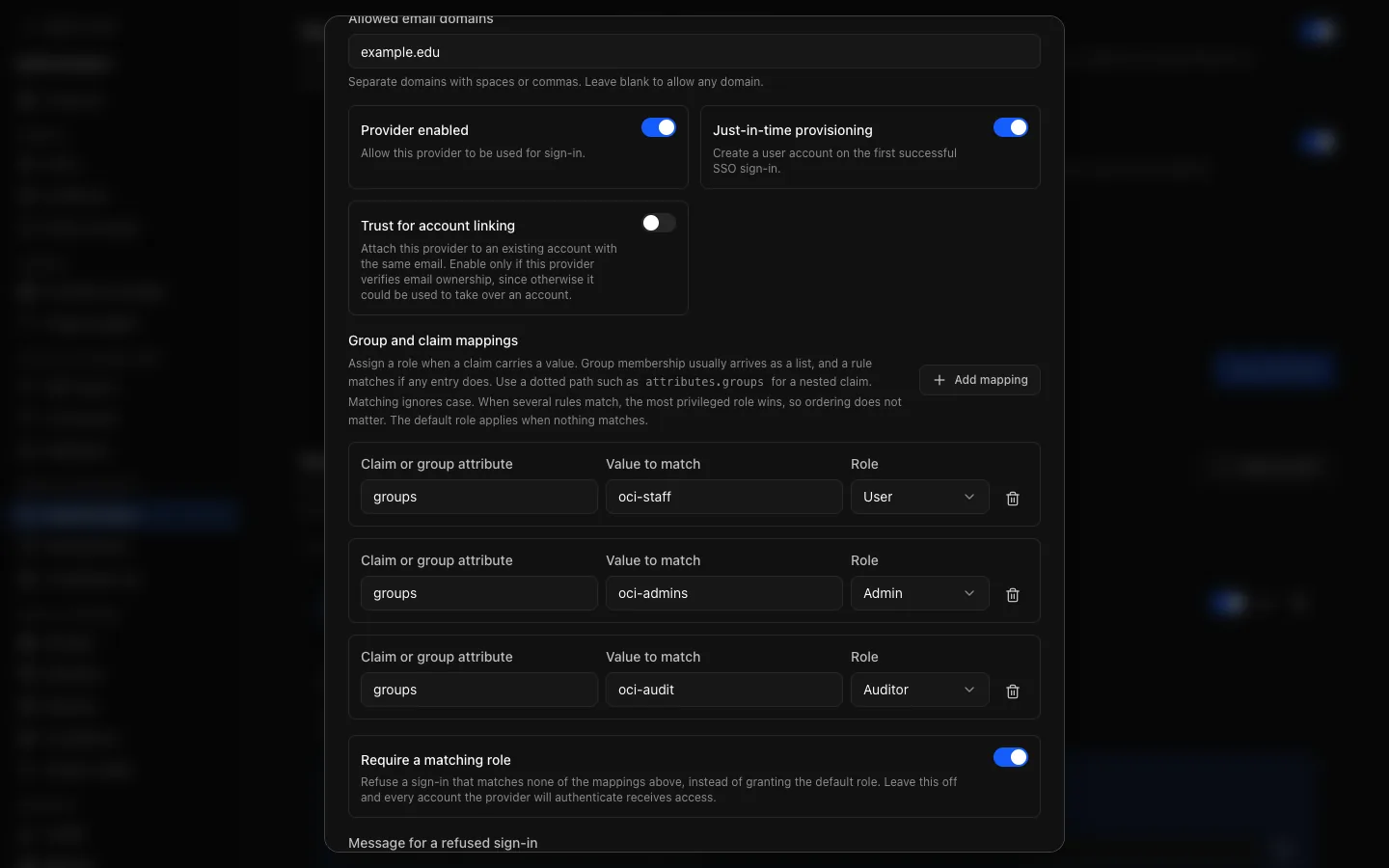
The fields whose consequences are not obvious:
| Field | Does |
|---|---|
| Default role | The role for someone who matches no mapping (unless Require a matching role is on). |
| Allowed email domains | Only these domains may sign in, such as example.edu. Blank accepts any domain the provider asserts. Set it when the provider serves more people than should reach OCI. |
| Just-in-time provisioning | Creates an account on someone's first successful sign-in. Off, only people who already have an account can sign in through the provider. |
| Trust for account linking | Off by default. When on, a sign-in attaches to an existing account with the same email, if the domain is allowed. Enable it only for a provider that really verifies email ownership; otherwise it could be used to take over an account. |
| Claim mappings | Which claims carry the email, display name, picture and subject. |
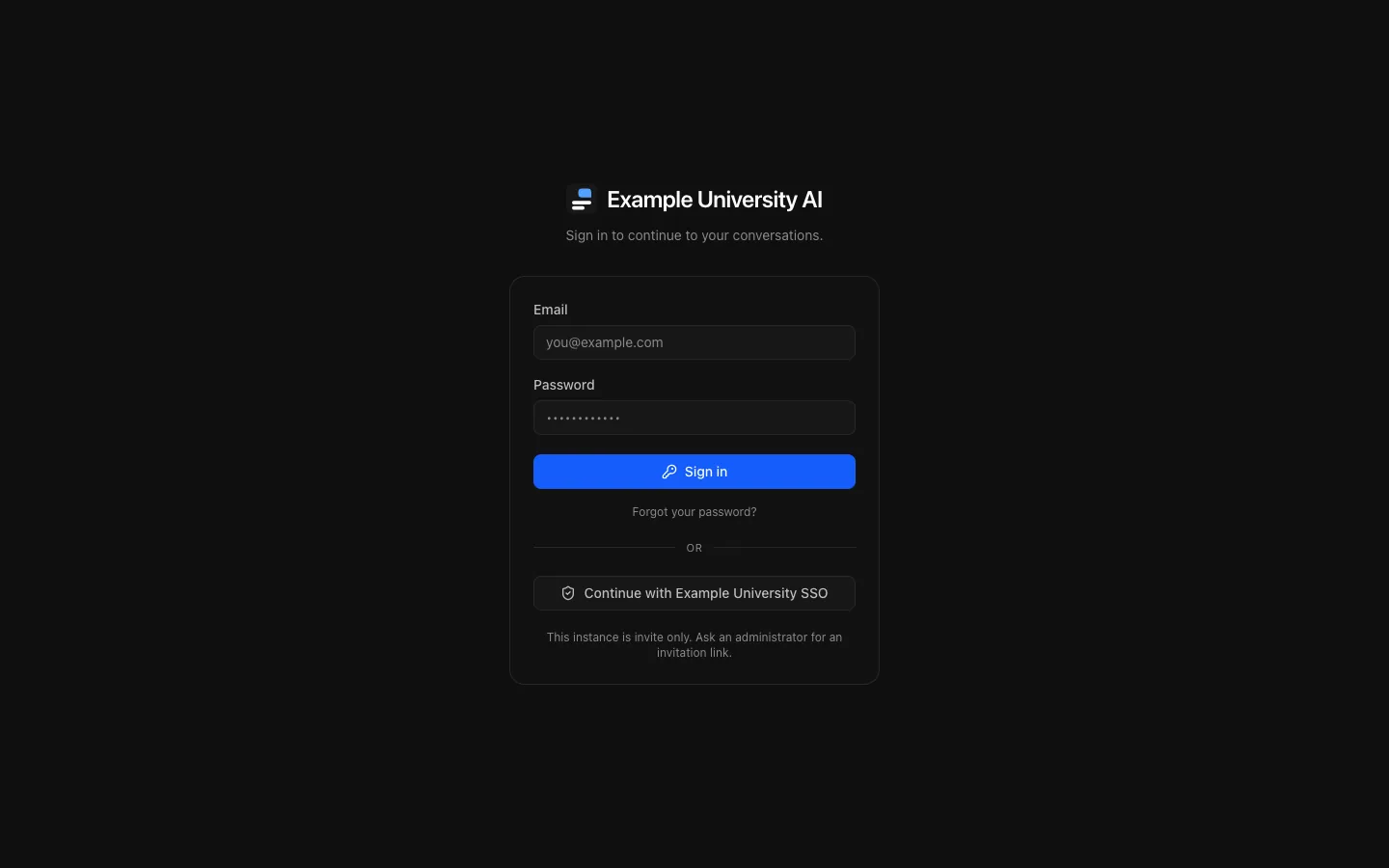
| Skip the sign-in form | Sends visitors straight to this provider. |
Group and claim mappings
A mapping says: when this claim carries this value, grant this role.
Claim: groups            Value: oci-staff       Role: user
Claim: groups            Value: oci-admins      Role: admin
Claim: groups            Value: oci-audit       Role: auditor
Claim: attributes.dept Value: contractors Role: restricted- Group membership usually arrives as a list; a rule matches if any entry does.
- A dotted path reaches a nested claim, which SAML and some OIDC providers need.
- Matching ignores case.
- Where several rules match, the most privileged role wins. Row order does not matter.
Require a matching role
This is the setting that makes group mapping an access boundary. Off, someone who matches no rule gets the default role, so everybody the provider will authenticate gets in; at an institutional provider that is the whole institution. On, they are refused and shown your Message for a refused sign-in, such as "Request access through the IT service desk".
It is off by default so that an upgrade never starts refusing sign-ins that used to work.
Roles after the first sign-in
A role is recalculated from the provider's claims on every sign-in:
- A role set by hand does not last. Promote someone in the user list and their next sign-in returns them to what the mappings say. To grant a lasting role, change their groups at the provider or map a group they are already in.
- A role can fall as well as rise. Someone removed from a mapped group drops to whatever still matches, or to the default.
Verifying a provider
Do this before turning off local sign-in:
auth.signin.sso.success, and the role they received.Break-glass access
Two settings can lock people out through the identity provider, and both have a way round:
- The sign-in form is skipped.
/auth/login?local=1always shows the form. Confirm it works before you turn on Skip the sign-in form. - A sign-in is refused for want of a role. An administrator signs in locally instead.
Turning off local sign-in still admits a verified administrator with a password, deliberately, so that setting cannot lock everybody out. Check that at least one administrator has a verified address and a password somebody knows before you turn it off. Keep the account created at installation for this.
If nothing else works, an operator can promote an existing account from the server:
docker compose exec api node dist/scripts/promote-admin.js someone@example.eduAudit
Sign-in, sign-up, sign-out, password reset and change, verification and single sign-on are recorded, including failures and attempts for accounts that do not exist. Provider changes (sso.create, sso.update, sso.delete) and sign-in policy changes are kept regardless of audit retention.