The admin dashboard
Where administrators run an Open Chat Interface instance, what each page is for, and what auditors can see.
The admin dashboard is at /admin, for accounts with the admin role: Admin dashboard in the menu under your name. An auditor can open every page and change nothing: each page shows a read-only banner, and controls that would save something are hidden or disabled. Both can reach every admin page from the command palette (Cmd/Ctrl + K).
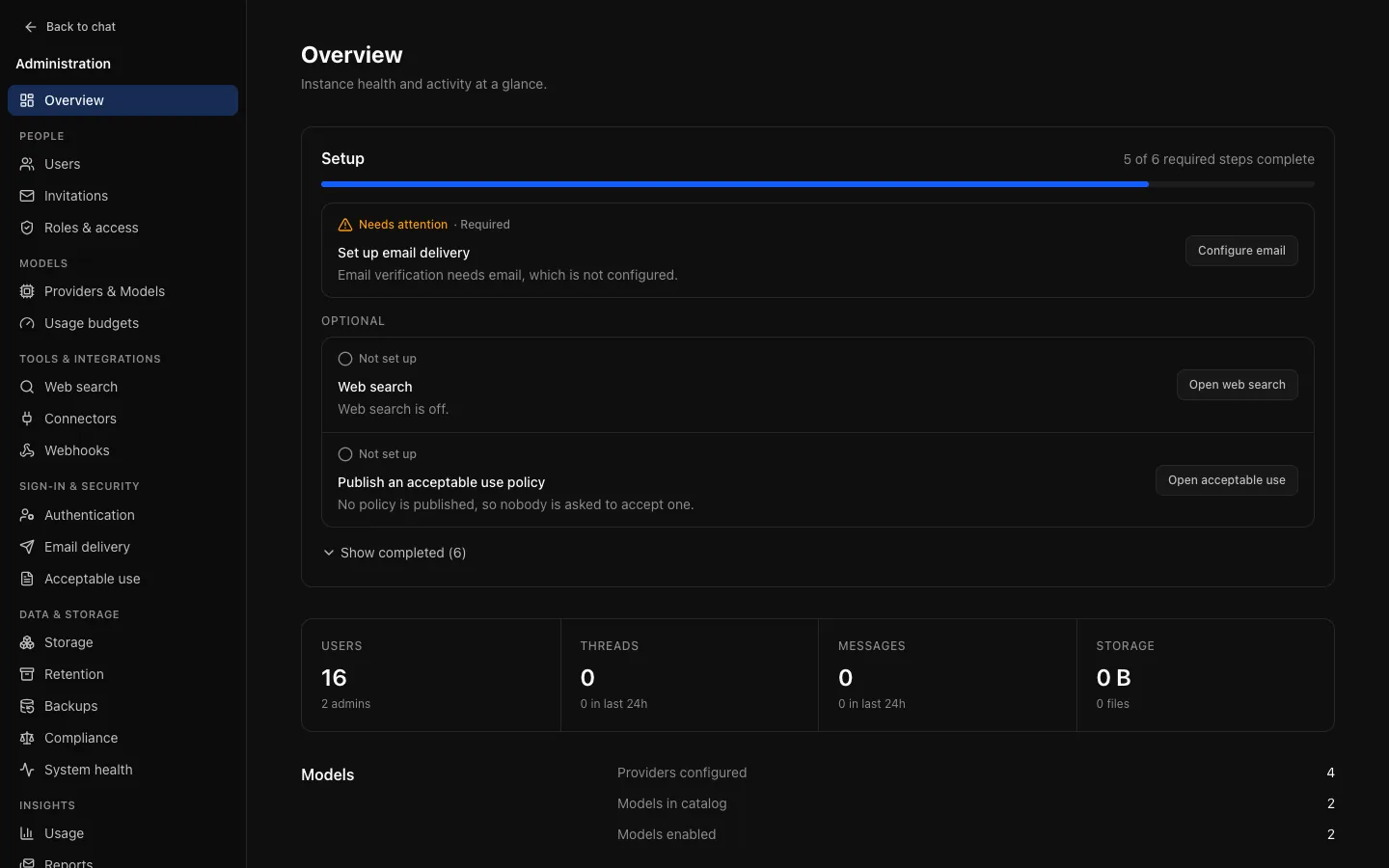
Overview opens with the setup checklist, then activity, totals and system status. On a new instance, start with First run.
The pages
Pages are grouped by task.
| Group | Page | For | Docs |
|---|---|---|---|
| Overview | The setup checklist, activity, totals | First run | |
| People | Users | Accounts, roles, bans, sessions, limits, bulk actions | People |
| Invitations | Invitation links when registration is closed | People | |
| Roles & access | Everything that shapes one role | Roles and access | |
| Models | Providers & Models | Credentials, the catalogue, the default model, embeddings and reranking | Providers and models |
| Usage budgets | Consumption caps per role, with per-person overrides | Budgets and limits | |
| Tools & integrations | Web search | The switch, the provider, a test search | Web search |
| Connectors | MCP servers whose tools models can call | Connectors | |
| Webhooks | Audit events posted to your endpoints | Observability and webhooks | |
| Sign-in & security | Authentication | Registration, local sign-in, sessions, single sign-on | Identity and sign-in |
| Email delivery | SMTP for invitations, resets, verification and reports | Instance settings | |
| Acceptable use | A policy people accept before using OCI | Acceptable use and announcements | |
| Data & storage | Storage | Where files live, and the upload policy | Instance settings |
| Retention | How long things are kept | Retention | |
| Backups | Verified daily backups of the database and files to S3 | Backups | |
| Compliance | Audit and content export to S3, legal holds | Compliance | |
| System health | Dependencies, background jobs, storage reconciliation | Instance settings | |
| Insights | Usage | What has been consumed, by whom, on what | Audit log and reports |
| Reports | Usage summaries by email | Audit log and reports | |
| Audit log | Who did what, with export | Audit log and reports | |
| Appearance & features | General | System prompt, defaults and instance-wide features | Instance settings |
| Branding | Name, logo, accent colour, default theme | Branding | |
| Announcements | A banner shown to everybody | Acceptable use and announcements |
Lists that can grow, such as users and audit entries, filter and sort on the server, so a search covers everything rather than the page in front of you. Anything with a consequence that is not obvious from its label says so on the page.
Old addresses
Pages that were merged keep their old addresses as redirects: /admin/providers → /admin/models, /admin/sso → the single sign-on section of /admin/settings/authentication, /admin/rate-limits and /admin/storage-limits → /admin/roles, /admin/maintenance → /admin/health, and /admin/settings → /admin/settings/general.
On a phone
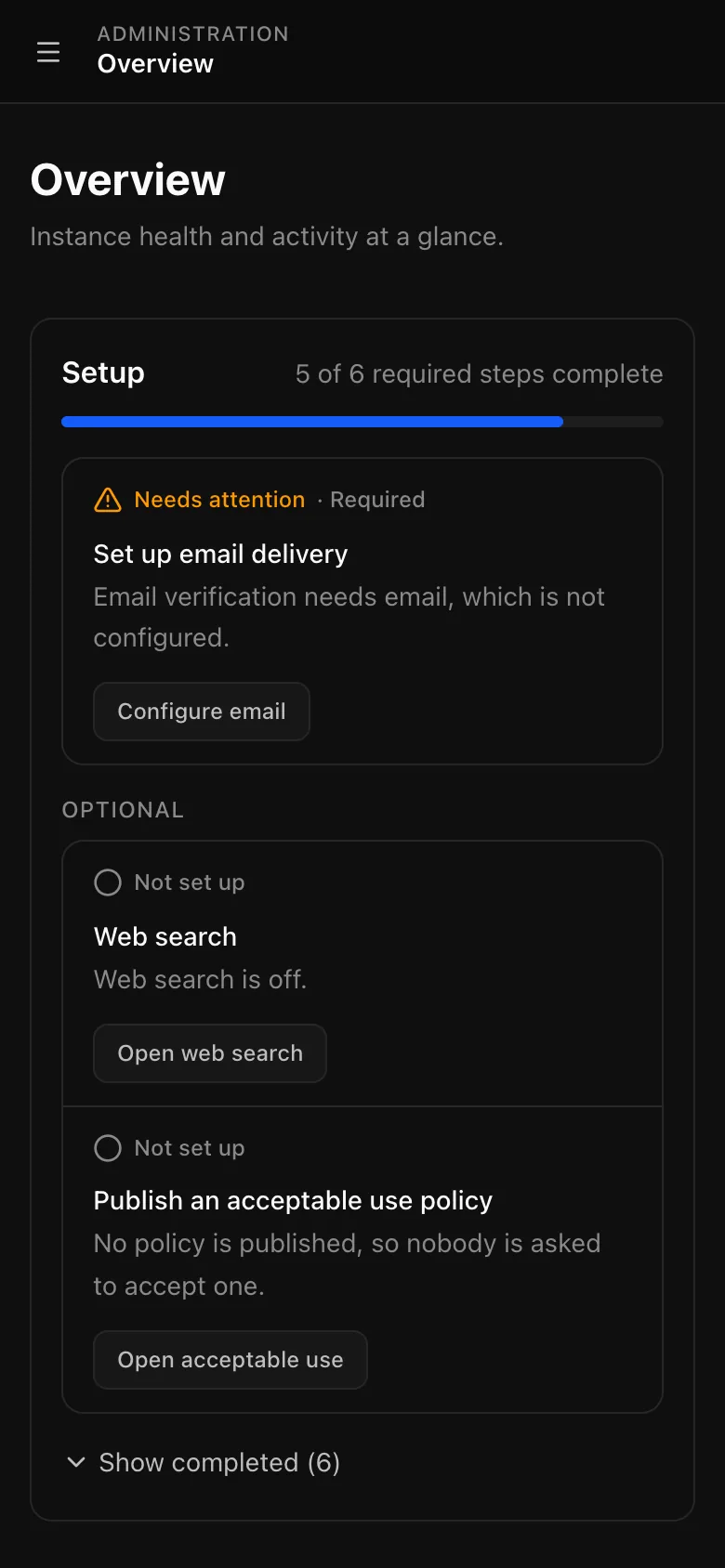
The dashboard works on a narrow screen. A menu button at the top opens the same grouped navigation in a drawer. Reading a figure is comfortable; configuring a provider is better done at a desk.
Configuration lives in the database
Almost nothing is configured with environment variables: providers, models, budgets, single sign-on, storage, search, SMTP and branding are all set here and stored in PostgreSQL. Environment variables cover what must exist before the database can be read (connection strings, secrets, the first administrator) plus a few defaults and observability switches. See Configuration.