Roles and access
Everything that shapes one role on one page — models, features, reasoning levels, tools, rate limits, storage allowance and budgets.
OCI has four fixed roles: admin, auditor, user and restricted. People → Roles & access (/admin/roles) gathers everything that shapes one role, with a tab per role. Values come from the same code that enforces them, so the page cannot disagree with what someone in that role experiences.
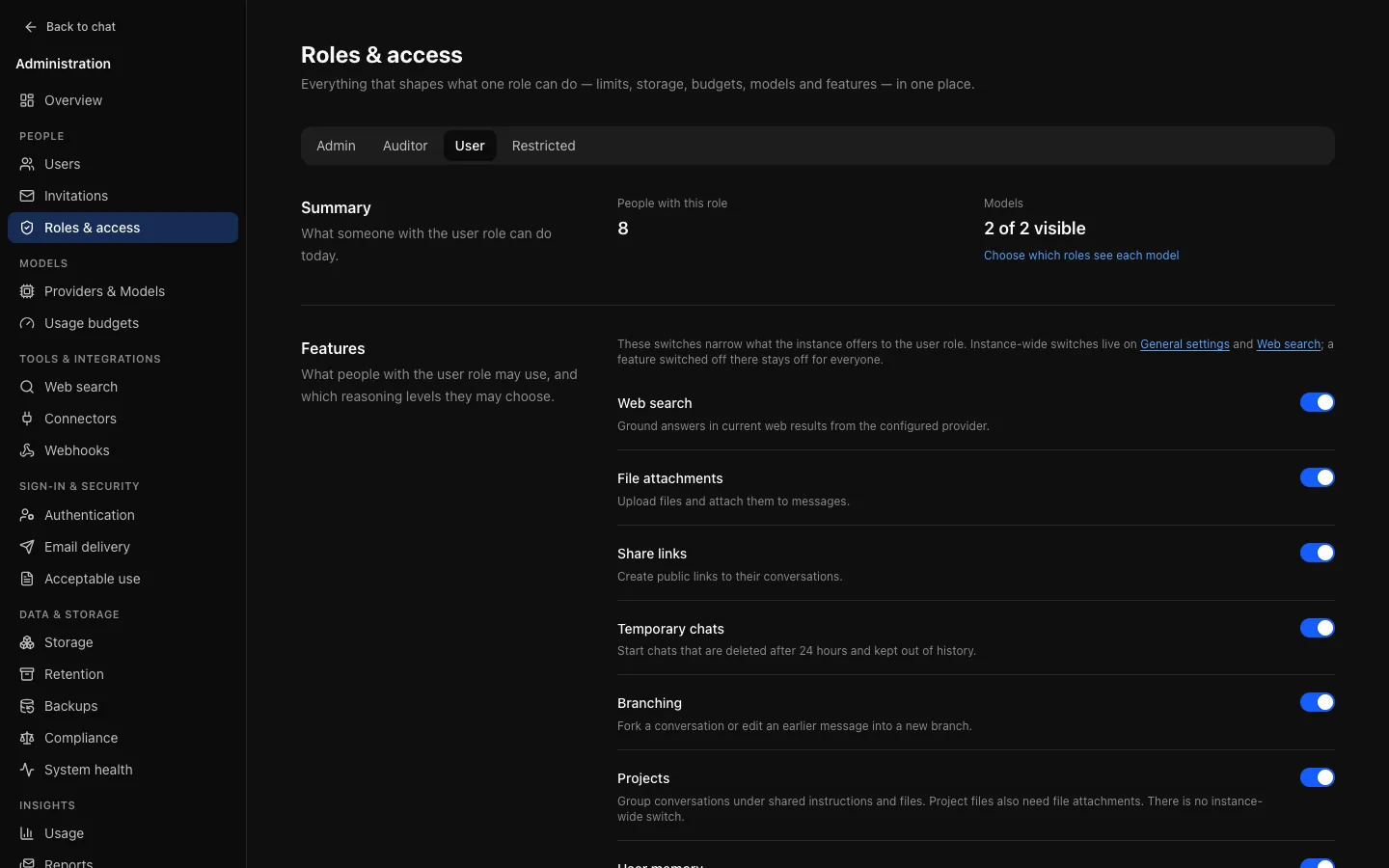
For each role:
- People with this role: a count that opens the user list filtered to the role.
- Models: how many usable models the role can see. Visibility is set per model on Providers & Models.
- Features: switches for the role, below.
- Fixed rules: what no setting changes. Administrators have full access; auditors can view administration but not change it.
- Tools: which tools models may use for the role.
- Rate limits and Storage allowance: editable here; see Budgets and limits.
- Usage budgets: the budgets assigned to the role, read-only, with a link to change them.
Below the role tabs, Instance-wide holds limits that apply regardless of role: sign-in attempts per minute (per client address and per account), and the budget and tokens held while a reply is written.
Features and reasoning levels
Each role has switches for web search, file attachments, share links, temporary chats, branching (forking, and editing an earlier message into a new conversation), projects, user memory, artifacts and delete own account. Someone can use a feature only when every switch it has allows it:
| Feature | Instance-wide switch | Role switch |
|---|---|---|
| Web search | Web search page (also needs a working provider) | ✓ |
| File attachments, share links, temporary chats, branching | General | ✓ |
| User memory | General (off by default), and each person's own switch | ✓ |
| Projects, artifacts, delete own account | None | ✓ |
When the role's switch is on but the instance's is off, the page says so. The server enforces every switch; hiding a control is only a convenience. A refused request reads, for example, "Attachments are not available for your role".
Reasoning levels choose which of Low, Medium and High the role may pick on models with effort control. Instant is always allowed. The picker offers only levels both the model and the role allow. The level a new conversation starts at is the instance's Default reasoning level on General, lowered to Instant when the model or role does not allow it.
Defaults: restricted cannot upload attachments, create share links, start temporary chats, or use projects, memory or artifacts; every other role can use everything the instance offers, at every reasoning level. User memory is also off instance-wide on a new instance. Delete own account is off for every role, including after an upgrade.
Saving sends only the fields you changed and is audited as role.features.update, with the previous and new values.
Turning share links off for a role stops new links; people keep seeing the links they made under Settings → Sharing and can still revoke them there or from the conversation. Revoking is audited as share_link.revoke (one link) or share_link.revoke_all (with the count).
Self-service account deletion
Delete own account lets people in the role delete their own account under Settings → Account. It is off for every role by default and has no instance-wide switch.
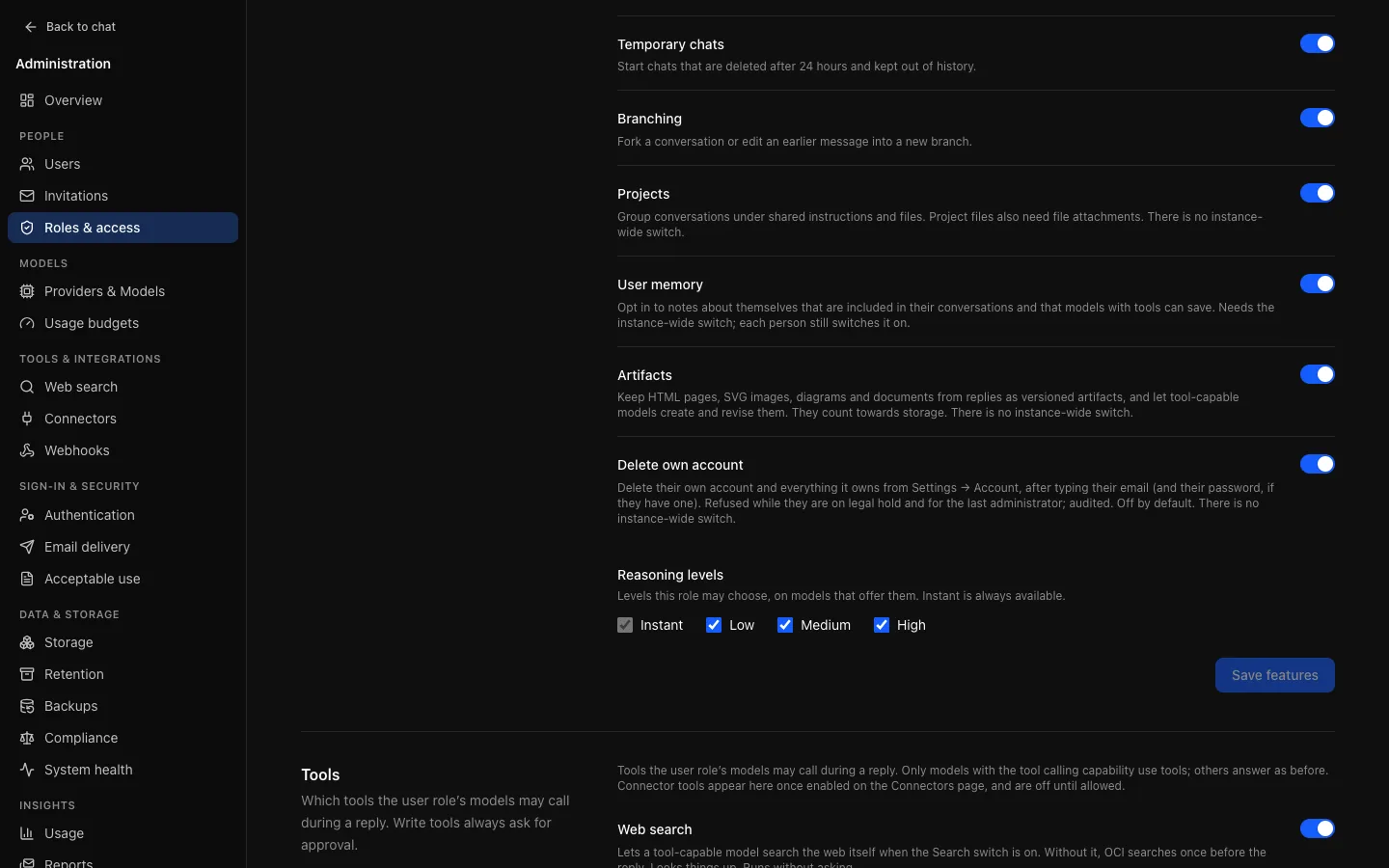
It is a role switch because the decision usually differs by population: an institution may let students and guests leave on their own while keeping staff accounts, whose data has records obligations, behind an administrator.
The person types their email address and, if the account has a password, enters it. The deletion is the same as Delete user under People: the same data deleted and kept, and the same refusals for a person on legal hold (they are told only that deletion is paused by their organisation) and for the last administrator. It is also refused in a session an administrator opened as the person; delete under People instead, where the entry names you. It is recorded as a user.delete entry with self: true and reason user; a wrong password is recorded as user.delete.failure.
For an account that signs in through single sign-on there is no password to ask for, and signing in again later creates a new, empty account through just-in-time provisioning, which the dialog explains. If that is not wanted, leave the switch off for roles whose people sign in that way, or limit who may sign in under Identity.
Tools
Models with the Tool calling capability can call tools while they write a reply. The Tools section lists every tool OCI can offer, with a switch for the role.
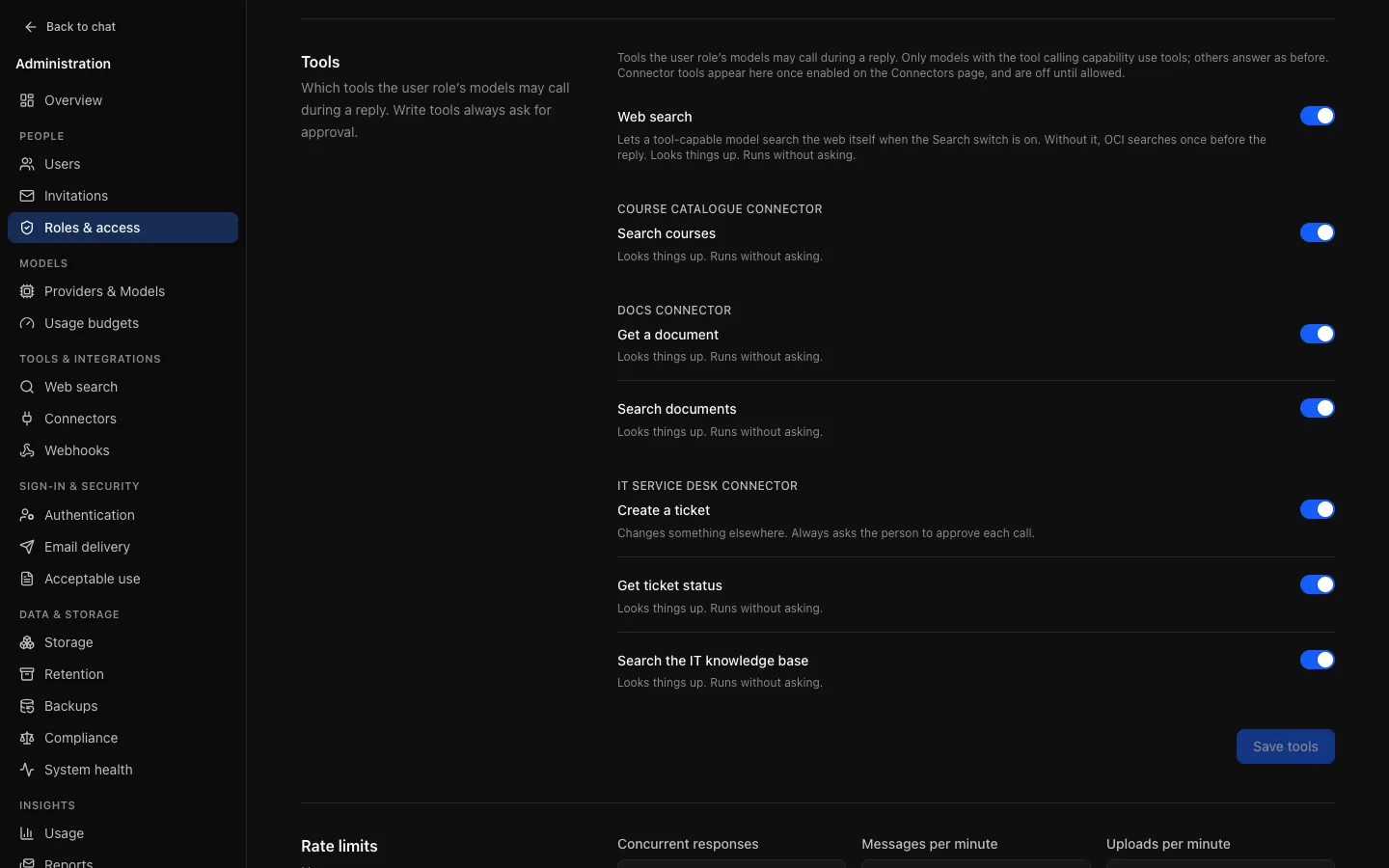
A tool is offered only when all of these hold:
- the model has the Tool calling capability;
- the role's switch for the tool is on;
- the tool is on for the instance, and for the message where the message box has a switch. Web search (
web_search) needs web search on and configured, the role's Web search feature, and Search on for the message. A connector tool (mcp__<connector>__<tool>) needs its connector and tool enabled on Connectors and, where each person signs in, that person's own connection.
Each tool is read (looks something up; runs without asking) or write (changes something elsewhere; the person approves every call). A tool added later inherits a default: built-in read tools are on for every role except restricted; write tools and connector tools are off until you allow them. Connector tools appear grouped under their connector once enabled, and their allows are removed when the connector is deleted. Saving is audited as role.tools.update.
The artifact tools (create_artifact, update_artifact) and memory tools (remember, forget) are not listed here: the role's Artifacts and User memory switches govern them. They change only OCI's own data for that person and need no approval.
A reply's tool steps are limited by Tool step limit on General (8 by default). Each step after the first checks the person's remaining budget and ends the reply if it is spent.
Every tool call writes a tool.call audit event: the tool, its kind, whether it needed approval and the answer (approved, denied, not answered), the outcome (ok, error, denied, refused), duration and result size. Inputs and results are never in the audit log; they live in the conversation and follow its retention.
Where a value comes from
Each rate limit, instance-wide value and retention value carries a label:
- Saved: set on this page. Wins over everything else.
- From environment: set by an environment variable such as
RATE_LIMIT_CHAT_PER_MINUTE, used because nothing is saved. - Built-in default: neither is set.
Saving a field overrides the environment for that field only.
Projects and governance
Projects reuse governed features. Project files are attachments: uploading needs attachments allowed for the role and the instance, uses the upload rate limit and counts against the storage allowance. Removing a file or deleting a project deletes its files at once, except for a person on legal hold, for whom both are refused. Switching projects off for a role keeps existing projects and files (still counted) but refuses every project request and stops their instructions and files being used. Creating and changing projects is personal content and is not written to the audit log; deleting a project or a project file is, as a deletion event.
Auditors
An auditor sees every switch and value and changes nothing. Read-only access is enforced on the request method, so a new admin page is read-only for auditors the moment it exists.