Acceptable use and announcements
A versioned policy people accept before using OCI, and banners for maintenance, incidents and policy changes.
Acceptable use policy
Sign-in & security → Acceptable use (/admin/policies). A policy people must accept before they can use the instance. It cannot be dismissed.
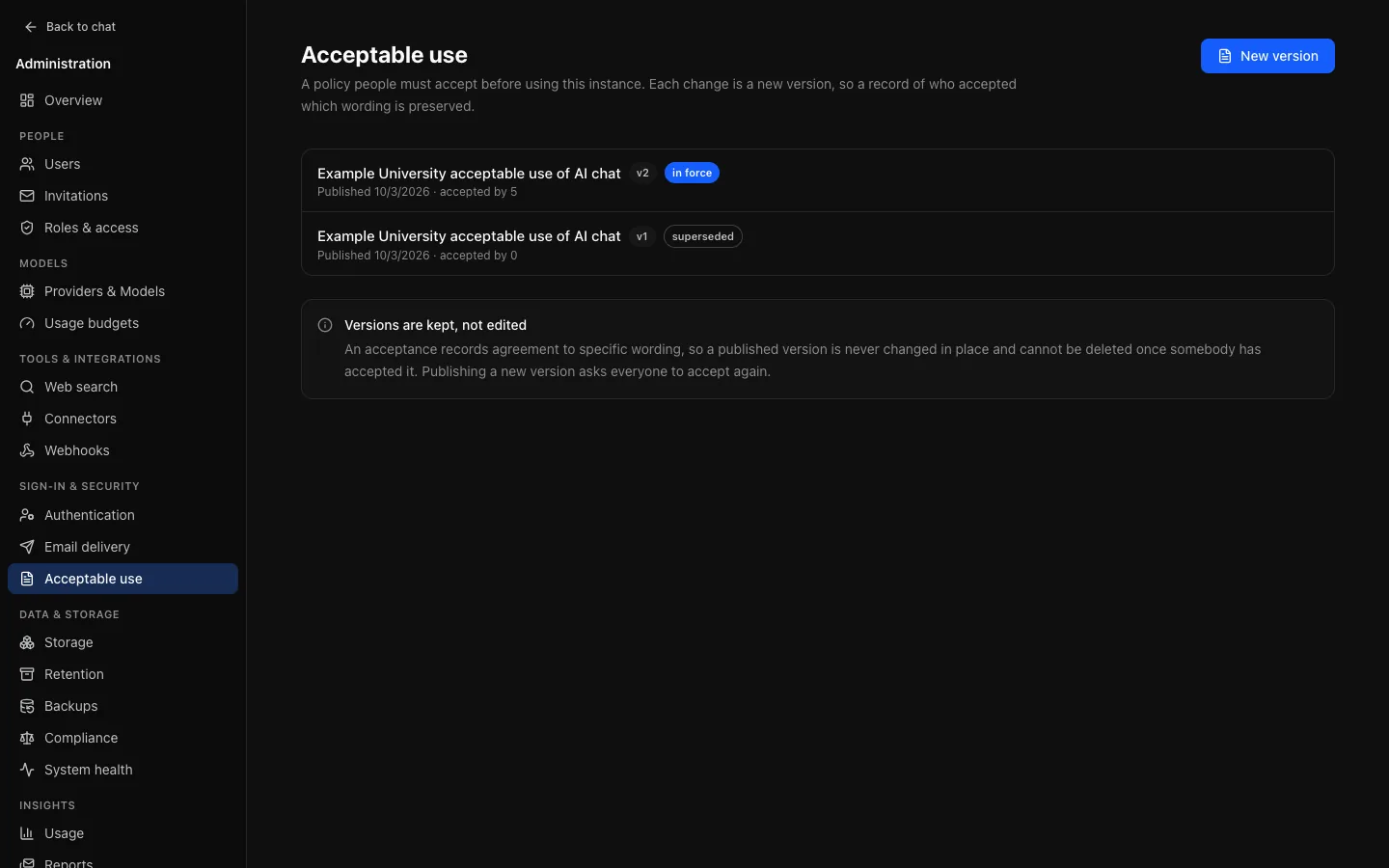
Versioned, never edited
Publishing a change creates a new version. An acceptance records agreement to specific words, so rewriting the text under an existing acceptance would make the record untrue.
- Publishing a new version asks everybody again, automatically, and tells them the policy changed rather than showing it as though it were new.
- A version somebody accepted cannot be deleted. The database refuses.
- What is recorded: the version, the moment and the address it came from. Enough to answer "what exactly did this person agree to, and when".
Advice
Publish before opening the instance: a policy published later prompts everybody at once, which looks like an incident to people who have been working happily for months. Say in it which providers people's messages and files go to, how long conversations are kept (Retention), and whether conversation content is exported (Compliance).
Announcements
Appearance & features → Announcements (/admin/broadcasts). A banner shown to everybody, or to chosen roles: planned maintenance, a policy change, an incident.
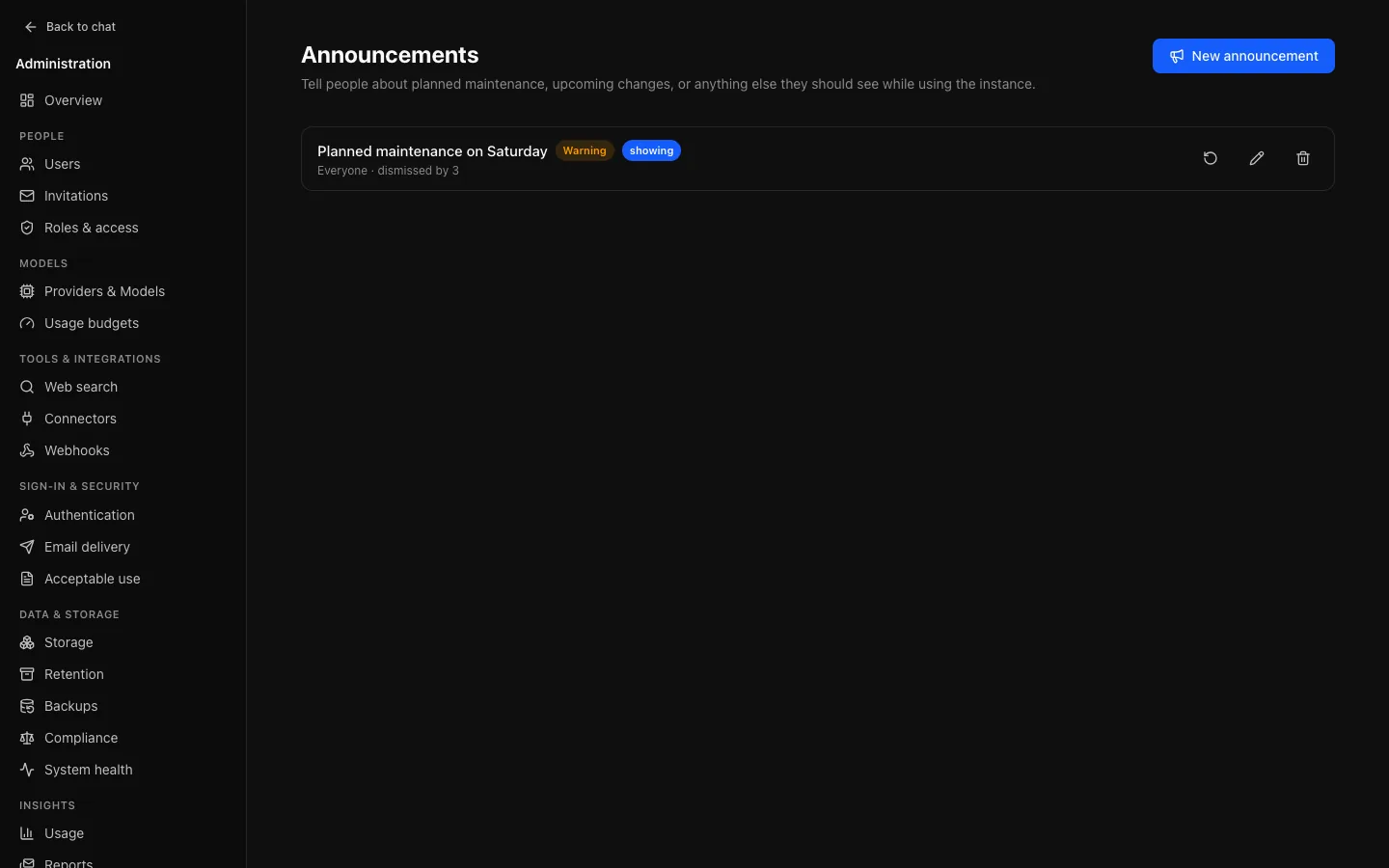
- A banner, not a toast, so a maintenance notice stays readable.
- Dismissal is per person. One person hiding it does not hide it for others.
- Editing does not show it again, so fixing a typo does not interrupt people who read it. Re-show clears dismissals when a change matters.
- Non-dismissable is enforced by the server, not by hiding the button.
- Audience can be limited by role, so a message for staff can skip students.