People
Finding accounts, changing roles, banning and signing people out, deleting accounts, per-person limits, bulk actions and invitations.
The user list
People → Users (/admin/users). Search matches names and email addresses; filters narrow by role and status. Searching, filtering and sorting happen on the server, so they cover every account, not just the page in front of you: sorting by messages finds the heaviest users on the whole instance.
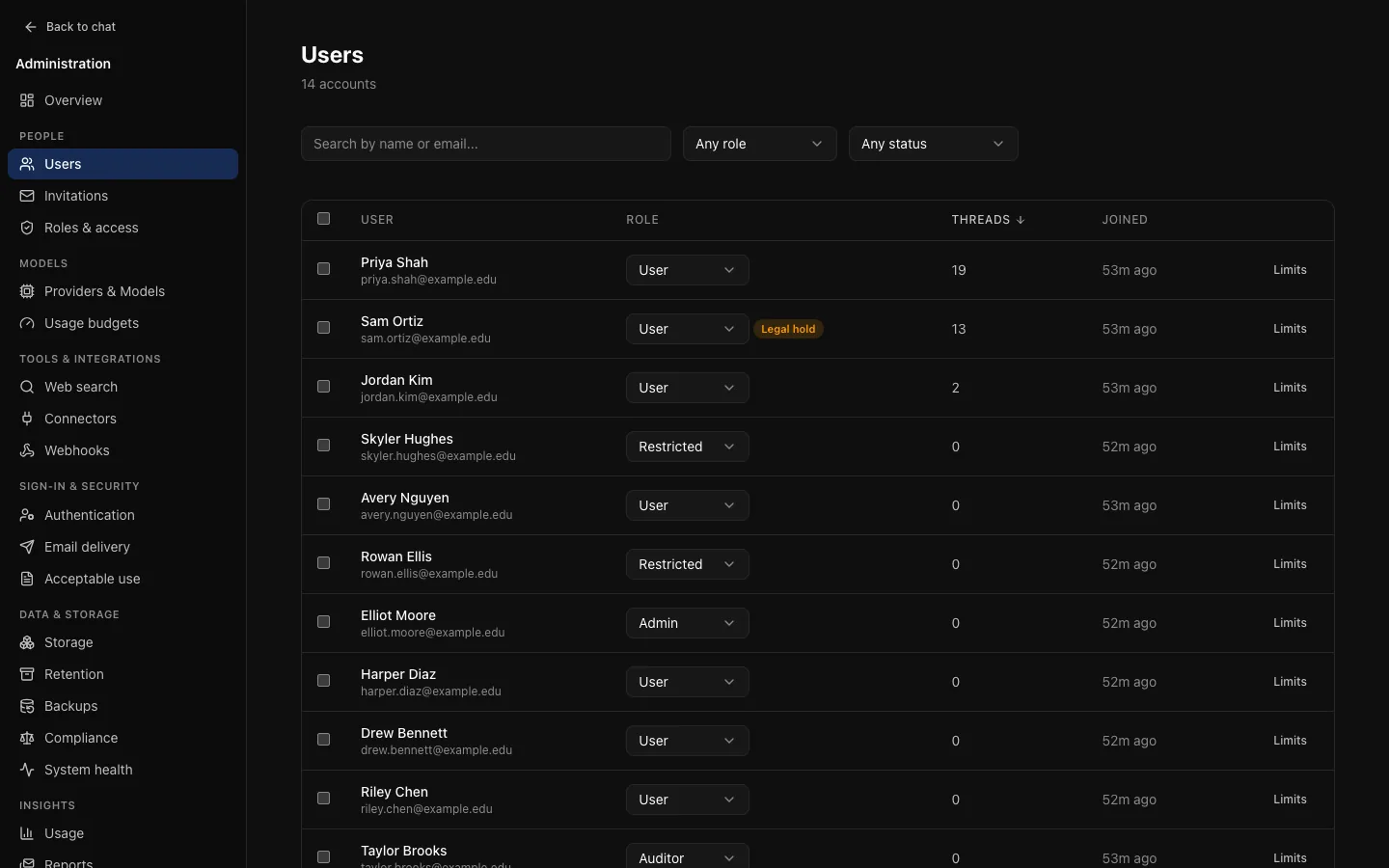
- Role: each row has a role selector. A change applies at once, except granting or removing administrator access, which asks first. You cannot remove your own administrator role.
- Saved views: a set of filters you return to ("restricted accounts", "unverified"), saved by name as a chip above the list. Views are yours, not the instance's.
- Legal hold: people on legal hold are marked.
Auditors see no saved views, role selector or bulk actions; roles appear as plain labels.
Single sign-on decides roles
For people who sign in through single sign-on, the role is recalculated from the identity provider's claims on every sign-in. A role you set here lasts only until their next sign-in. See Identity.
One person's account
Select a person to see their totals, storage, active sessions with the address and client each came from, their limits, recent conversation titles, and their audit trail (as actor and as target). See every event for this account opens the audit log filtered to them. Only titles: an administrator has no reason to read someone's conversations, and this page does not make it easy.
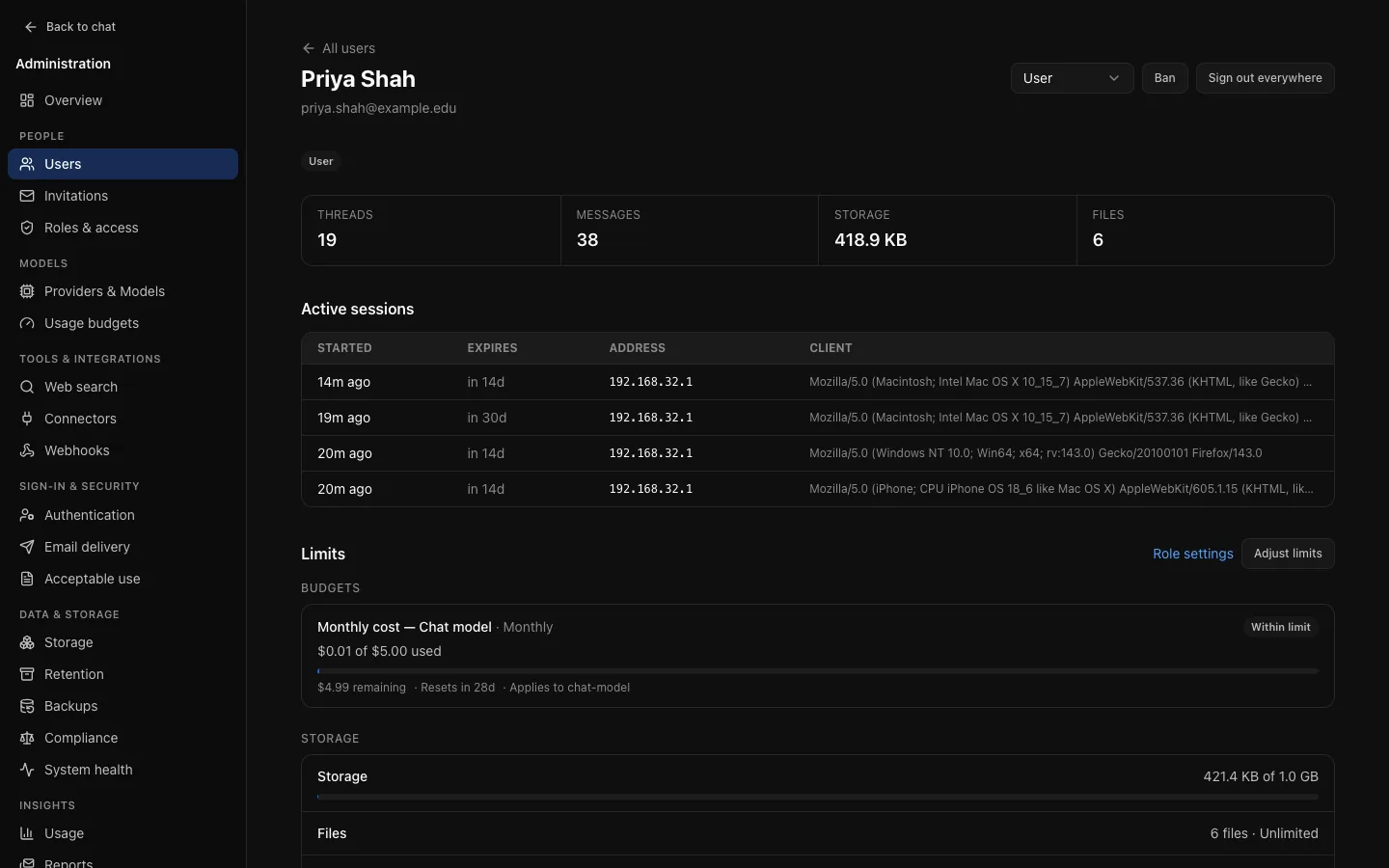
Actions:
- Role: as in the list.
- Ban asks for an optional reason, shown to administrators. It ends every session at once. You cannot ban yourself. Unban lets them sign in again.
- Sign out everywhere ends every session. This is the right response to a suspected compromise: changing a password alone leaves existing sessions working.
- Delete user, at the bottom of the page, removes the account for good. See below.
Limits shows what they are held to right now, computed by the code that enforces it: each usage budget with what is used, what remains and when it resets (or their last 24 hours of usage if no budget applies), and their storage against the role's allowance. Adjust limits sets per-person overrides; Role settings opens their role on Roles & access.
Deleting an account
Delete user, at the bottom of a person's page, asks you to type their email address before it will do anything, so the wrong account cannot be deleted with a stray click.
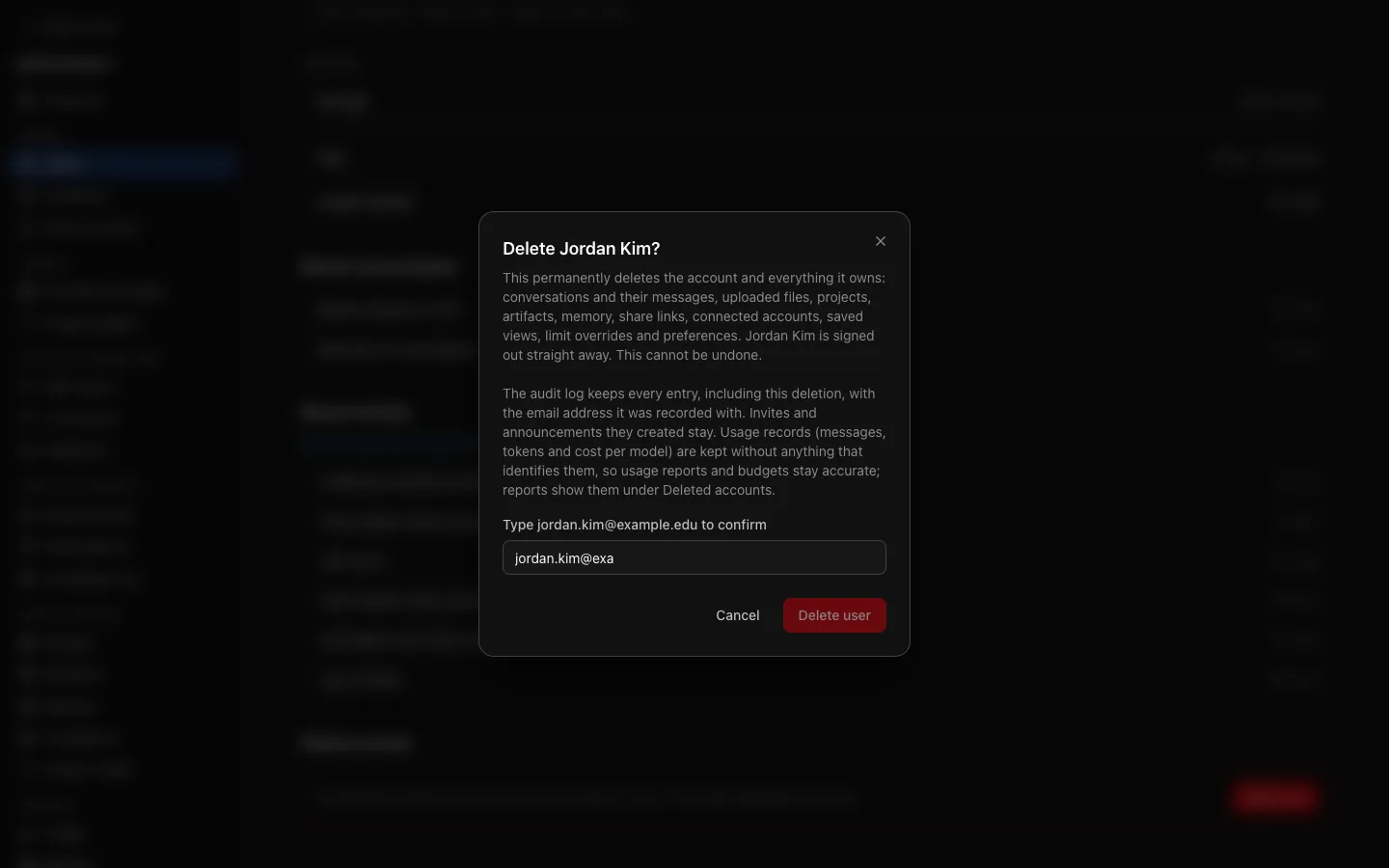
Deleting is permanent. It removes the account and everything it owns: conversations and their messages, uploaded files (the stored files are removed shortly afterwards by the storage cleanup job), projects, artifacts, memory, share links, connected accounts, saved views, limit overrides and preferences. The person is signed out at once.
What stays:
- The audit log, including everything the person did (their entries keep the email address they were recorded with) and a
user.deleteentry naming the account and its role and counting what was deleted. Invitations and announcements they created stay too. - Usage records (messages, tokens and cost per model, daily totals and limit refusals), without anything that identifies the person, so usage reports and budget history do not change. Usage shows them as one Deleted accounts row; see Usage. Only a reply still being written at that moment loses its held allowance.
The server refuses to delete:
- your own account: ask another administrator;
- the last administrator: make somebody else an administrator first;
- a person on legal hold: lift the hold first. The dialog says so and cannot be confirmed. A database trigger also refuses it on any other path.
The reason is shown in the dialog. Auditors do not see Delete user. To stop somebody signing in without losing their data, Ban them instead.
People can also delete their own account under Settings → Account when their role allows it; see Self-service account deletion. That runs the same deletion, with the same refusals, and its user.delete entry is marked self: true.
Per-person limits
Limits beside an account in the list, or Adjust limits on their page, gives one person more of a budget without changing it for their role, optionally with an expiry and a reason. Set an expiry when the need is temporary: an override without an end date is one nobody remembers to remove.
Storage allowance and rate limits are per role, not per person.
Bulk actions
Select rows and the action bar appears: apply a role, sign the selection out, or ban it.
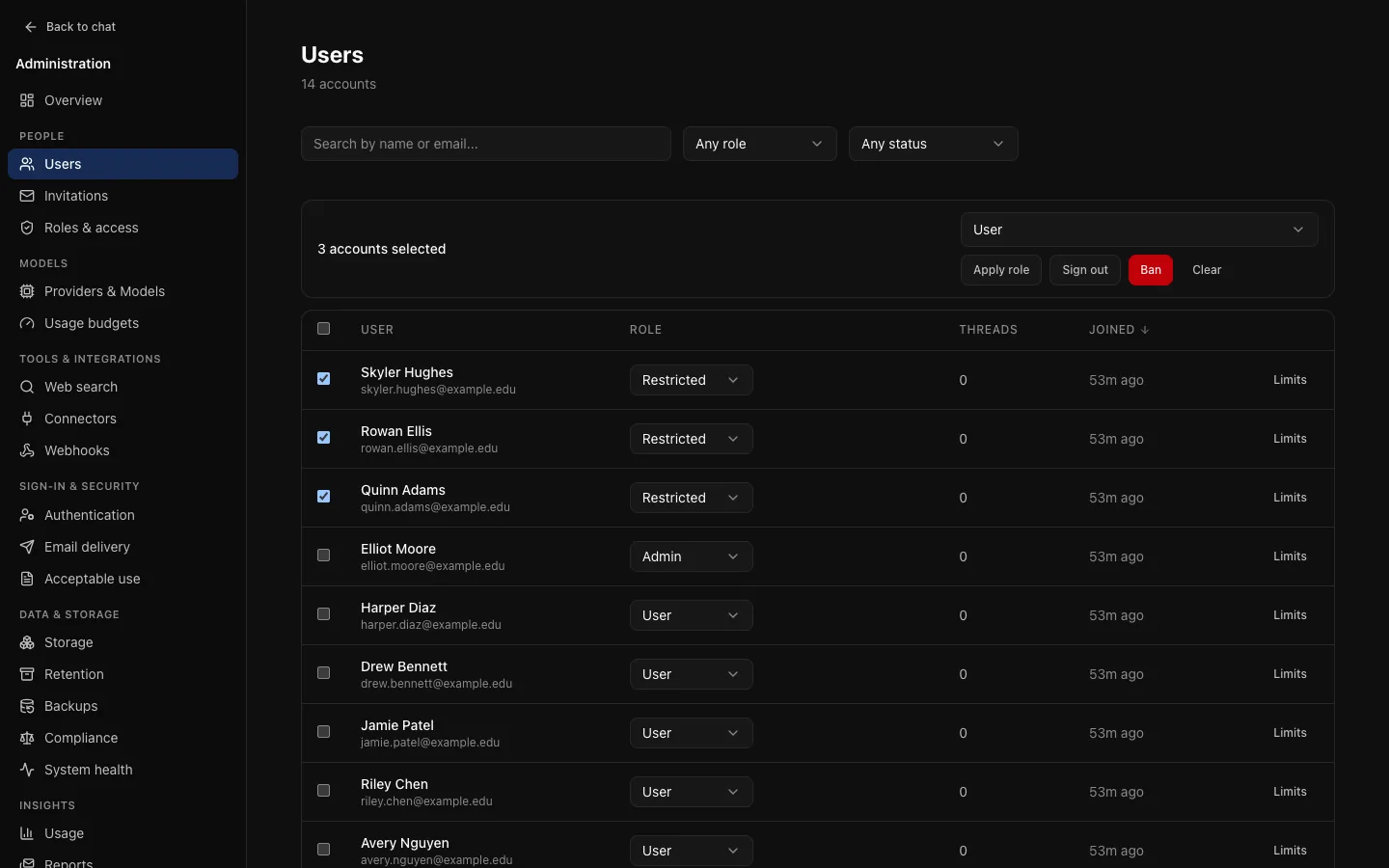
- You cannot include yourself. Selecting only yourself is refused; selecting yourself with others skips you and says so.
- A ban ends sessions in the same action.
- The audit entry names every account affected, not just a count.
- At most 200 accounts per action.
Invitations
People → Invitations (/admin/invites). When registration is invite only or closed, an invitation is how someone gets a local account. Each carries a role, so you decide what they will be before they arrive.
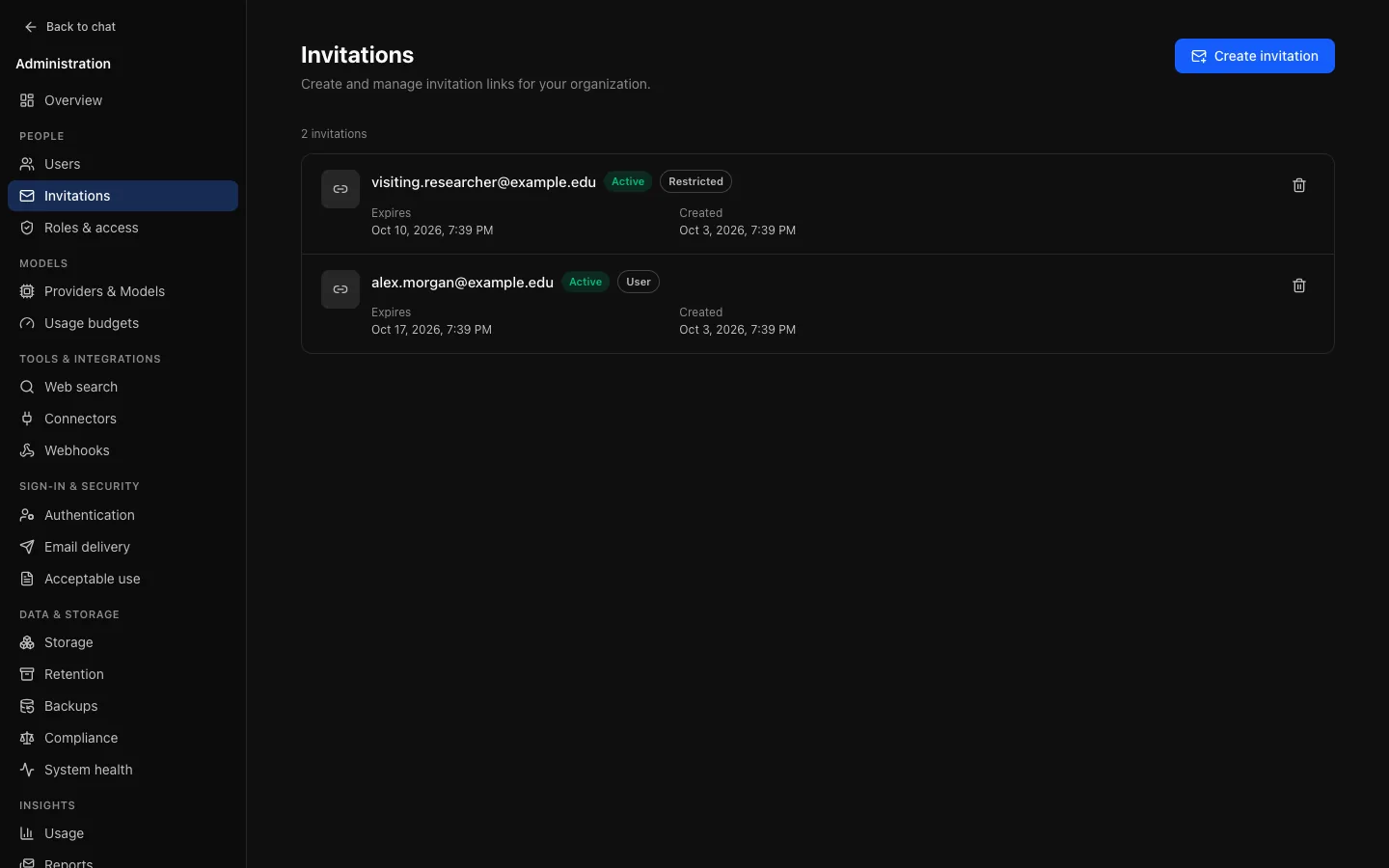
Links expire, and an unused one can be revoked. Invitations are emailed when email delivery is set up; without SMTP you can still create one and deliver the link yourself.
Sessions after a change
Sessions are cached for up to five minutes per API replica, so a role change, ban or sign-out can take up to five minutes to reach every replica.