Memory
Short notes about you that OCI adds to your conversations, and how to see, change and delete every one.
Memory is a short list of notes about you, such as your job, how you like answers or a project you are working on, that OCI includes in your conversations so you do not have to repeat yourself. It is off until you switch it on, and you can see, change and delete every note.
Your institution decides whether memory is available. If Settings → Memory says it is not available to you, it is off for the instance or your role. (When it is unavailable and you have no notes, the Memory tab is hidden.)
Switching it on
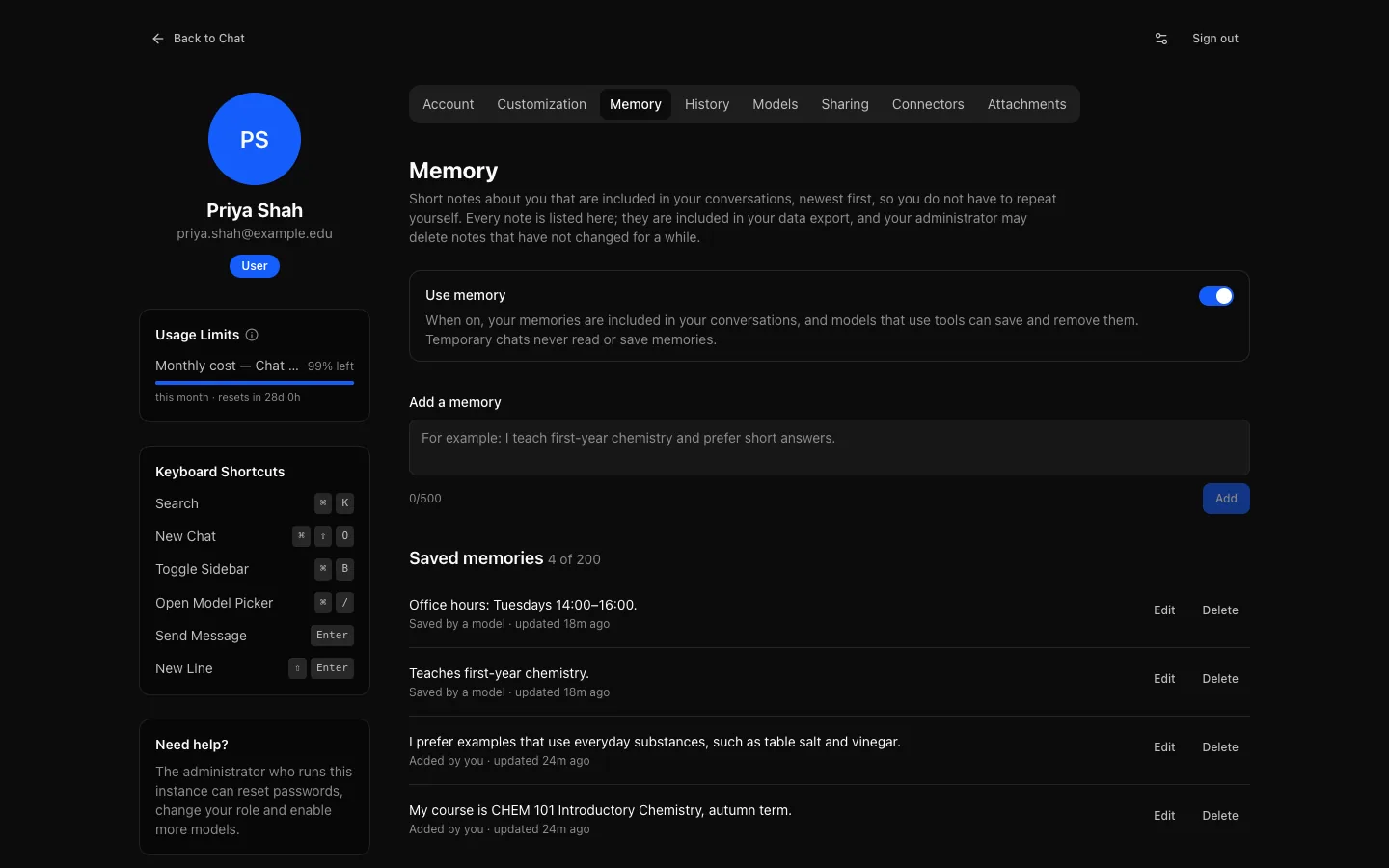
Open Settings → Memory and turn on Use memory. Turning it off stops your notes being used and stops models saving new ones; your notes are kept until you delete them.
How notes are made
- You write them. Under Add a memory, type a note (up to 500 characters) and select Add. Write it as a fact: "I teach first-year chemistry", "Prefers answers in British English".
- Models save them. With memory on, models that can use tools save a note when you ask them to remember something, or when you mention a lasting preference or fact. They can also forget a note when you ask, or when it is no longer true. Each change shows in the reply as Memory updated, with the note and Undo, below the reply's work block and above its answer, never hidden inside it.
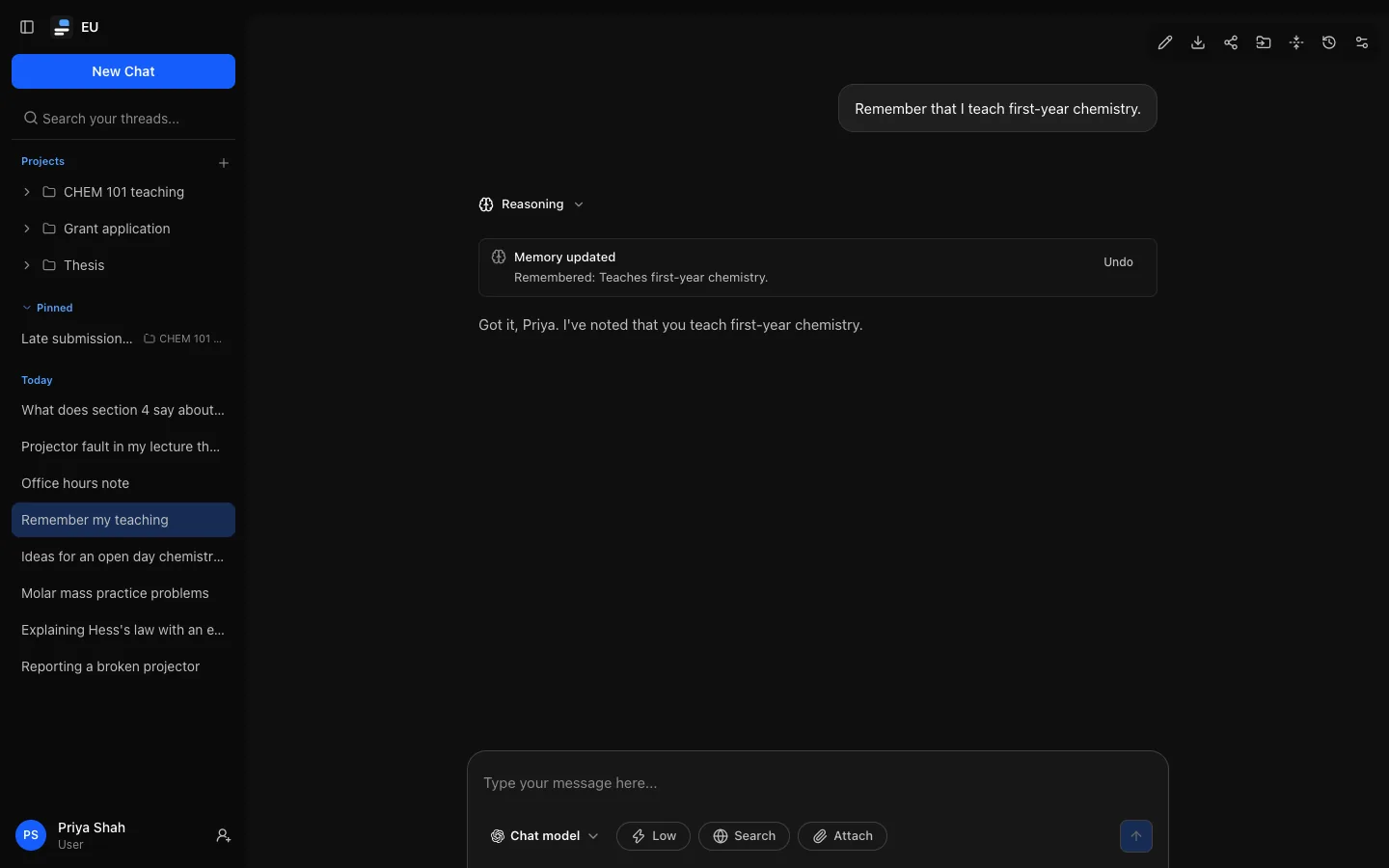
Models without tools still read your notes; they just cannot change them.
How notes are used
Your notes are added to the instructions the model receives, newest first, marked as notes about you rather than instructions. They take at most 5% of what the model can take in, and never more than about 8 KB, so on a small model only your newest notes are included.
Temporary chats never use memory: they neither read nor save notes.
Managing your notes
Settings → Memory lists every note, newest first, with where it came from (Added by you or Saved by a model) and when it last changed. Edit changes one, Delete removes one, and Delete all… removes every note after you confirm. You can keep up to 200.
Your data
- Your notes are in your full export, as
memory.json. - Your institution may delete notes that have not changed for a number of days. Editing a note counts as a change.
- Administrators see in the audit log that notes were added, changed or deleted, never what they say.
- Deleting your account deletes your notes.
- While your institution has paused deletion for your account (a legal hold), you can edit notes but not delete them.