Sharing
Publish a read-only link to a conversation, live or as a fixed snapshot, with an optional expiry; find every link you have made and revoke it.
Sharing publishes a read-only copy of a conversation at a link anybody can open, without an account.
Creating a link
Open the conversation and select Share conversation (the share icon at the top right). In the dialog:
- Share through decides whether the link is live or a snapshot:
- Latest messages (live), the default, shows the conversation as it is whenever someone opens the link, including messages you add later.
- A particular message makes a snapshot: the link shows the conversation up to and including that message, and nothing you add afterwards. Use this when a link you sent last week should keep showing what it showed then.
- Expires (optional): a date and time, in your local time, after which the link stops working. Leave it blank for a link that works until you revoke it.
Select Create and copy link. The link is on your clipboard.
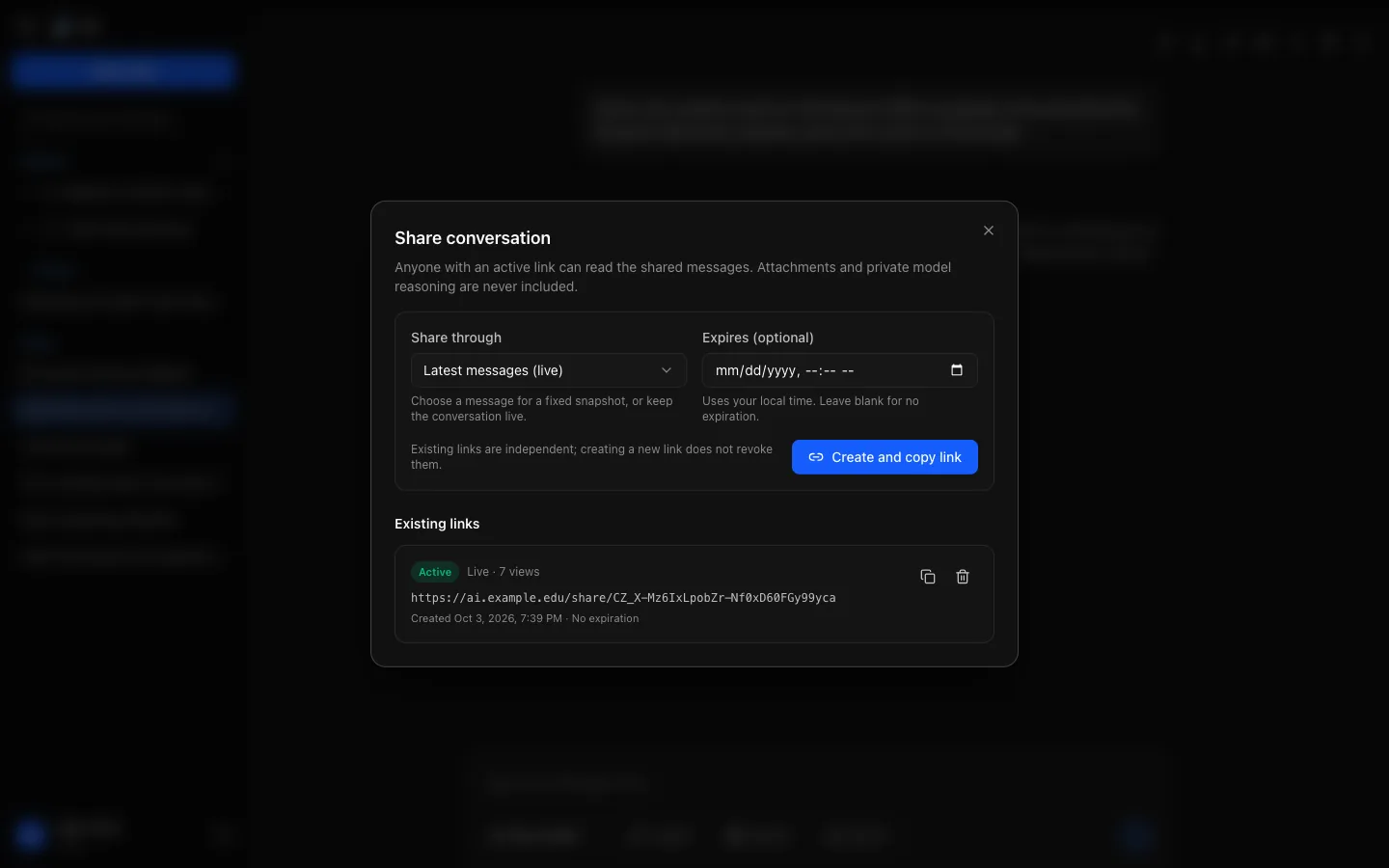
You can have several links for one conversation; each is independent, and creating a new one does not revoke the others. The same dialog lists the conversation's links, each marked Live or Snapshot with its view count and expiry, with Copy and Revoke.
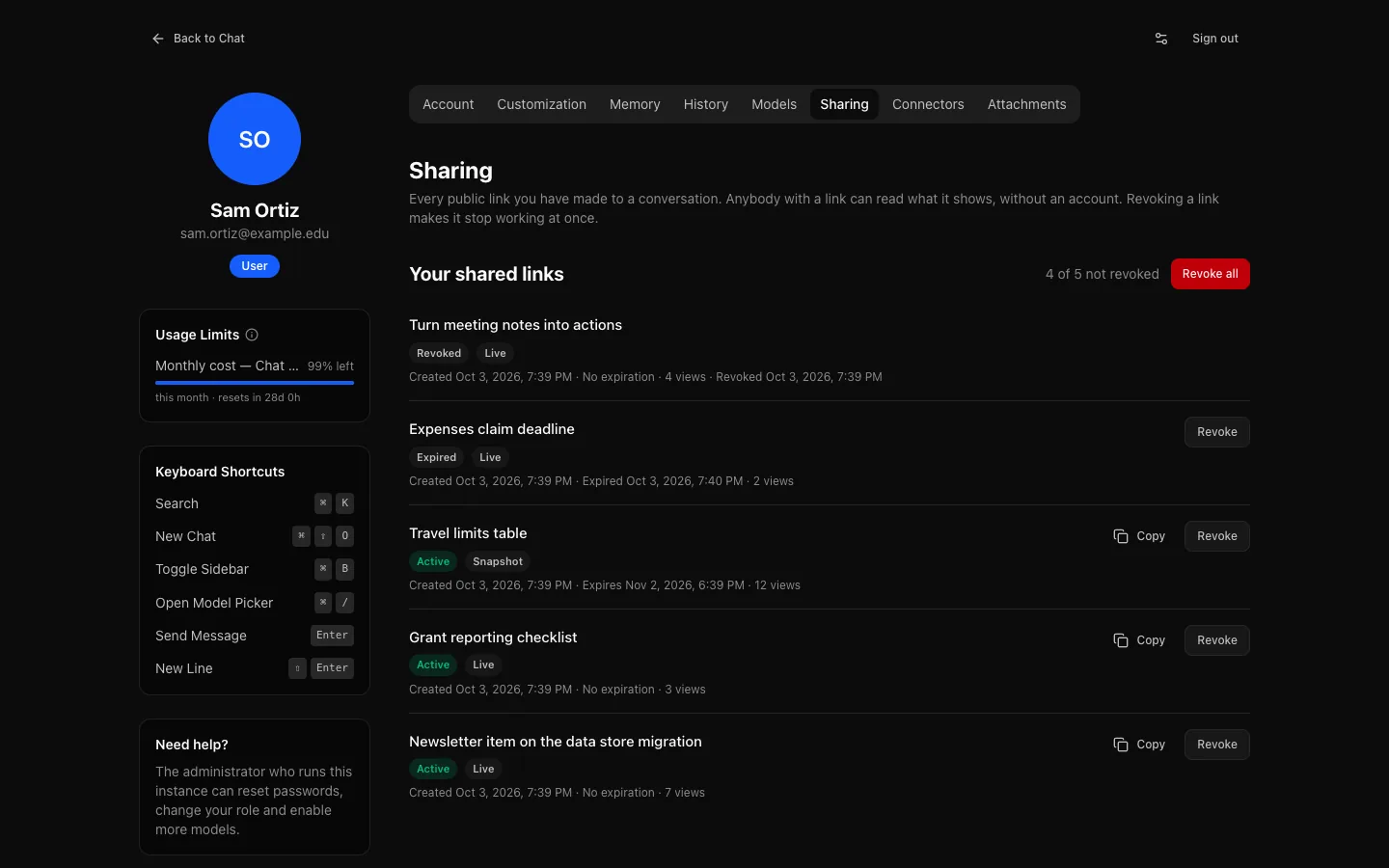
All your links
Settings → Sharing lists every link you have made, across all your conversations, with the same details and whether each is active, expired or revoked, so links shared long ago are easy to find. Revoke them one at a time, or all at once with Revoke all. See Settings → Sharing.
What is included
- The conversation's title and its messages, up to the point you chose: your messages and the replies, one reply per question as you see it.
- The sources a reply cited, and the reply's collapsed work block summarising its tool steps; expanded, it lists each step's one-line summary.
- Artifacts of the shared replies, at their latest version (for a snapshot, the latest version when you created the link), in a sealed frame.
- Your instance's name, logo and colours.
Not included:
- Reasoning: the thinking a model did on the way to an answer.
- Attachments: the shared page shows the messages without them.
- Project instructions and files, and the note saying which project passages a reply used.
- Anything about your account, or which model wrote each reply.
Text that looks like a password, API key or access token is replaced with [REDACTED] on the shared page. Do not rely on that to catch everything.
Revoking
Revoke, in the conversation's dialog or in Settings → Sharing, makes a link stop working at once. Anybody who opened it before keeps whatever they saved or copied: revoking removes access, not memory. An expired link stops working the same way. Revoking is recorded in the audit log.
Deleting the conversation, by you or by retention, also revokes its links, and restoring it from the trash does not bring them back: create a new link. Links to a temporary chat stop working when it expires.
Before you share
The link needs no account, so treat it as public. A live link also publishes whatever you add to the conversation later. Your institution can turn sharing off for everyone or for your role; if Share conversation is missing, that is why. Links you made before stay listed in Settings → Sharing, where you can still revoke them.