v0.10.0
Finish and harden — your shared links, personal defaults, optional self-service deletion, backups that copy files, legal hold over every deletion, deletions in the compliance export, PDF export in every script and branding everywhere.
Released 2026-10-03. v0.10 closes the gaps v0.9 left open rather than adding new areas: what people can see and control about their own account, what records and backups cover, and the places branding did not reach. It includes the security fix from v0.9.2.
For people
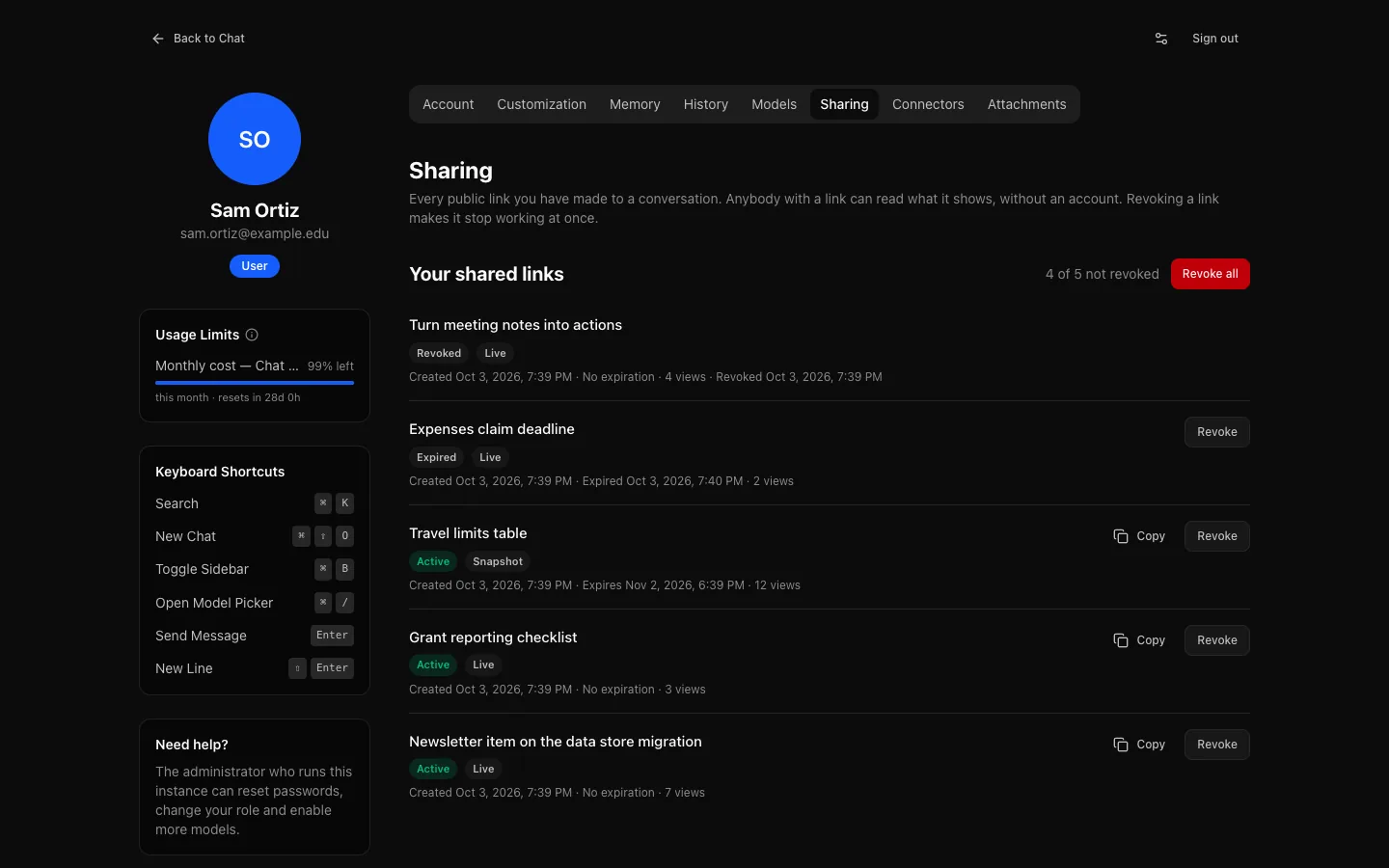
- Settings → Sharing lists every link you have made, with Revoke and Revoke all, also after sharing has been turned off for your role. See Sharing.
- A default model and reasoning level, under Settings → Models, kept with your account so they follow you to every device. A conversation's own choice still comes first. See Settings → Models.
- Delete your own account, when your administrator allows it for your role (off by default). See Deleting your account.
- Rename a conversation from the sidebar or the top of the conversation. See Renaming a conversation.
- The keyboard shortcuts work:
Cmd/Ctrl + Shift + O(new chat),Cmd/Ctrl + B(sidebar) andCmd/Ctrl + /(model picker), also while you type. See Keyboard shortcuts. - Which passages a reply used in a project, under Show passages used, and a Files control in the message box that leaves chosen project files out of the next message. See Projects.
- Resize the artifact panel by dragging its edge or with the keyboard; the width is kept in this browser. See Artifacts.
- A summary you asked for that fails is reported, with the reason and Retry. See Long conversations.
- PDF export in every script: Greek, Cyrillic, Chinese, Japanese, Korean, Arabic and Hebrew (right to left, letters joined), with the fonts embedded. Emoji print as a replacement character. See Characters in PDFs.
- Reloading during a very long reply, such as a long artifact, picks up where it was instead of saying live replay is no longer available.
- The sharing guide describes live and snapshot links and expiry.
For administrators
- Delete user in People → a person: type their email to confirm. Refused for yourself, the last administrator and anyone on legal hold. See Deleting an account.
- Delete own account, a new per-role switch on Roles & access, off for every role. See Self-service account deletion.
- Usage is kept after an account is deleted, without anything that identifies the person, so reports and budget history stay accurate. Usage shows it as Deleted accounts. See Usage.
- Context window and output limit per model in Providers & Models. See Context and output size.
- A fallback web search provider, used after a timeout, network error or server error. See Web search.
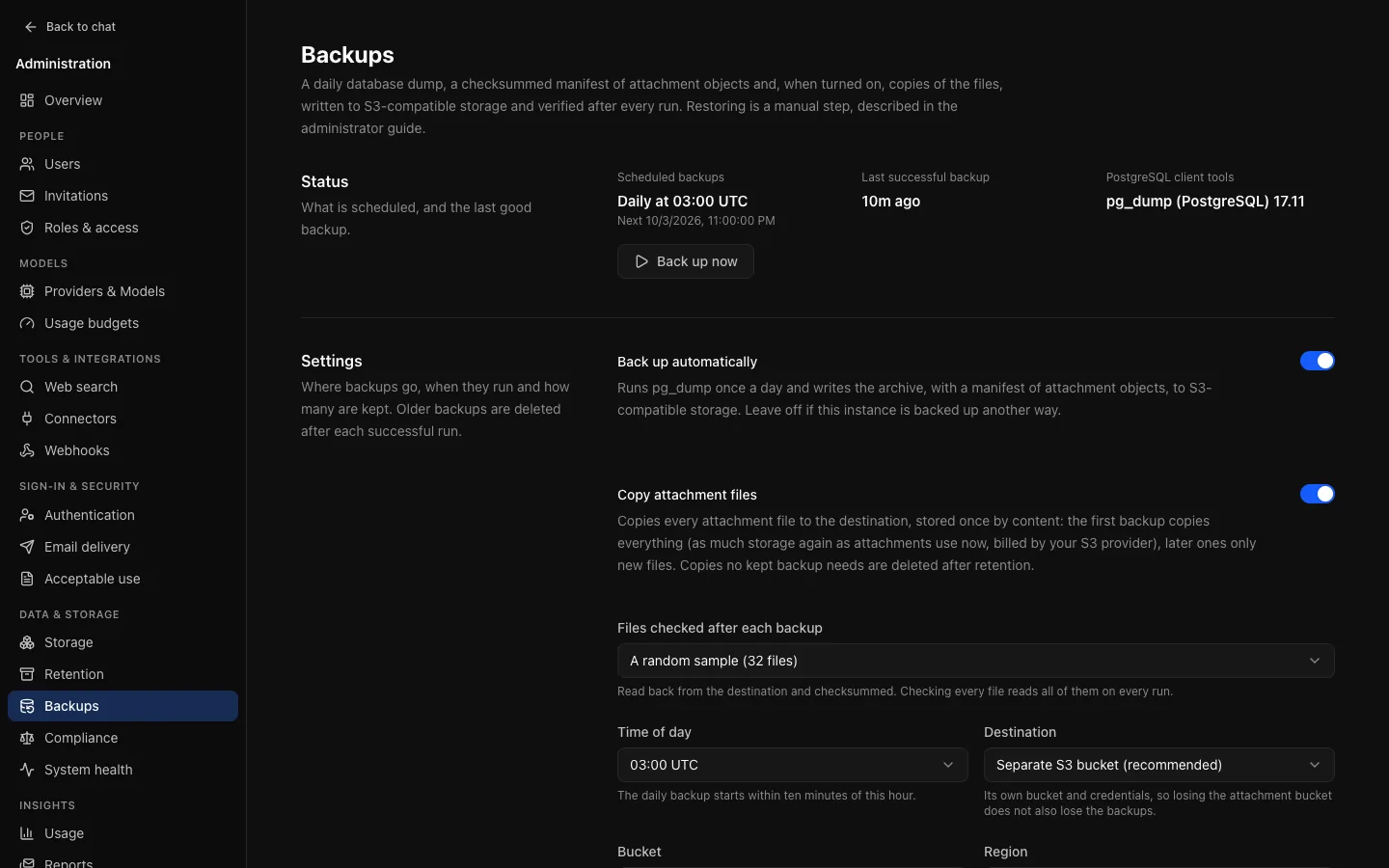
- Backups copy files: attachments, thumbnails and the uploaded logo, once per distinct content, checked and read back, swept after retention, with a script to restore them. See Backups.
- Legal hold covers every deletion: project and project-file deletion, memory deletion, usage-event and share-link pruning, and expired temporary chats. See Legal hold.
- Deletions in the compliance export: every deletion, by a person, an administrator or a retention job, writes an audit entry (never the content), which the exactly-once export carries. See Deletion events.
- The sign-in limit works.
RATE_LIMIT_AUTH_PER_MINUTEhad no effect; sign-in, sign-up, password reset and verification are now limited per client address and per email. See Sign-in attempts. - Branding applies everywhere: the Open Chat Interface mark beside your name by default, browser tab titles and icon, share pages, verification and password-reset emails, diagram colours and exported files. See What follows branding.
- Revoking share links is audited, and Backups and Compliance share their destination, schedule and history controls.
For operators
- Migrations
0035to0038, all safe to apply before the new images are deployed. TRUSTED_PROXIESon the web container, from v0.9.2: set it behind a load balancer, another proxy or an ingress. See Reverse proxy.restore-backup-filesin the API image puts copied files back. See Backups and restore.- The backup credential also needs
s3:ListBucket. - The API image carries Noto fonts for PDF export, about 10 MB.
- An empty optional environment variable counts as unset, so an empty
INITIAL_ADMIN_PASSWORDprints a one-time password.DATABASE_URL,AUTH_SECRETandENCRYPTION_KEYstill refuse empty values. - New metrics
oci_web_searches_totalandoci_web_search_duration_seconds, by provider and by primary or fallback.
Fixes
- Expanded projects in the sidebar stay in step across open tabs.
- Revoking a single share link was not audited.
Upgrading from v0.9
Read the v0.10.0 upgrade notes first. In short:
- Migrations
0035to0038are pre-deploy safe: none scans or rewrites a large table, and v0.9 replicas keep working while you replace them. - Backups: an instance that configured backups before v0.10 keeps listing files without copying them until an administrator turns on Copy attachment files. The first copy can be as large as all your file storage.
- Delete own account is off for every role until you turn it on.
RATE_LIMIT_AUTH_PER_MINUTEnow applies (10 a minute by default). Behind a proxy, setTRUSTED_PROXIESfirst, or everyone shares one address and one limit.- Usage is kept after an account is deleted. Usage of accounts deleted before the upgrade is already gone.
- The API image is about 10 MB larger for the Noto fonts.
From v0.9.0, go straight to v0.10.0: v0.9.1 has no published images.
Known limitations
- Colour emoji do not print in PDFs; Chinese, Japanese, Korean, Arabic and Hebrew have no italic.
- The artifact panel's width is kept per browser, not per account.
- The first message of a new project conversation always uses every project file.
- Backup retention still deletes old backups for people on legal hold, and a hold does not pause edits such as renaming.
- Link previews of share pages show Open Chat Interface, not your instance's name.
- There is no Helm chart, no multi-factor authentication for local accounts, and images are
linux/amd64only.